Explore the Content
- What Is Enterprise Rental Order Management?
- How Rental Management Has Evolved
- Essential Features of Enterprise Rental Order Management Software
- Common Rental Management Problems Modern Software Can Help Prevent
- How to Choose the Right Rental Order Management Software
- How RentMy Helps Rental Businesses Launch, Manage, and Grow
- Conclusion
- FAQs
What happens when your rental business outgrows spreadsheets, separate calendars, and manual order tracking? How can enterprise rental order management help you keep bookings, inventory, customers, and fulfillment working together?
A growing rental operation has little room for disconnected information. One outdated inventory status or missed order update can affect scheduling, fulfillment, payments, and customer service.
There’s no need to piece the answers together yourself. This guide explains key features, scalability, common rental problems, software selection questions, and RentMy’s role in modern rental operations. Let’s jump right into the details.
What Is Enterprise Rental Order Management?
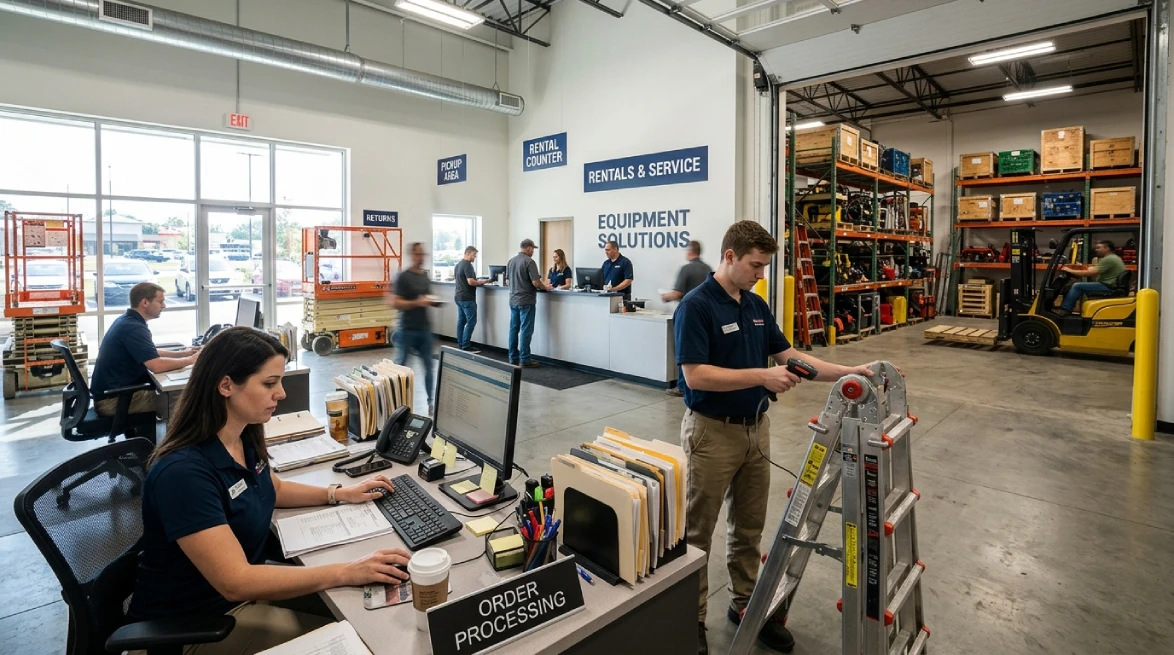
Enterprise rental order management is the process of managing rental orders from reservation through fulfillment, return, and billing. It connects customers, inventory, assets, payments, locations, employees, and rental activities within one coordinated system.
Unlike retail, rental items come back. The same equipment cycles through reservation, checkout, use, return, inspection, and maintenance. That repeated cycle makes availability tricky to track manually.
Basic booking software only handles dates and reservations. Enterprise rental management goes further. It links reservations with inventory, customer records, fulfillment, payments, and returns. Rental software keeps these activities connected in one place.
This matters most as your business grows. Your team works from shared, real-time information instead of scattered spreadsheets, calendars, and messages. Everyone stays on the same page.
At pickup, staff can confirm reserved products and verify serial numbers. In return, the same order updates automatically. No manual handoffs needed.
The real question isn't whether customers can book online. It's whether your system can manage the full rental lifecycle smoothly and reliably.
How Rental Management Has Evolved
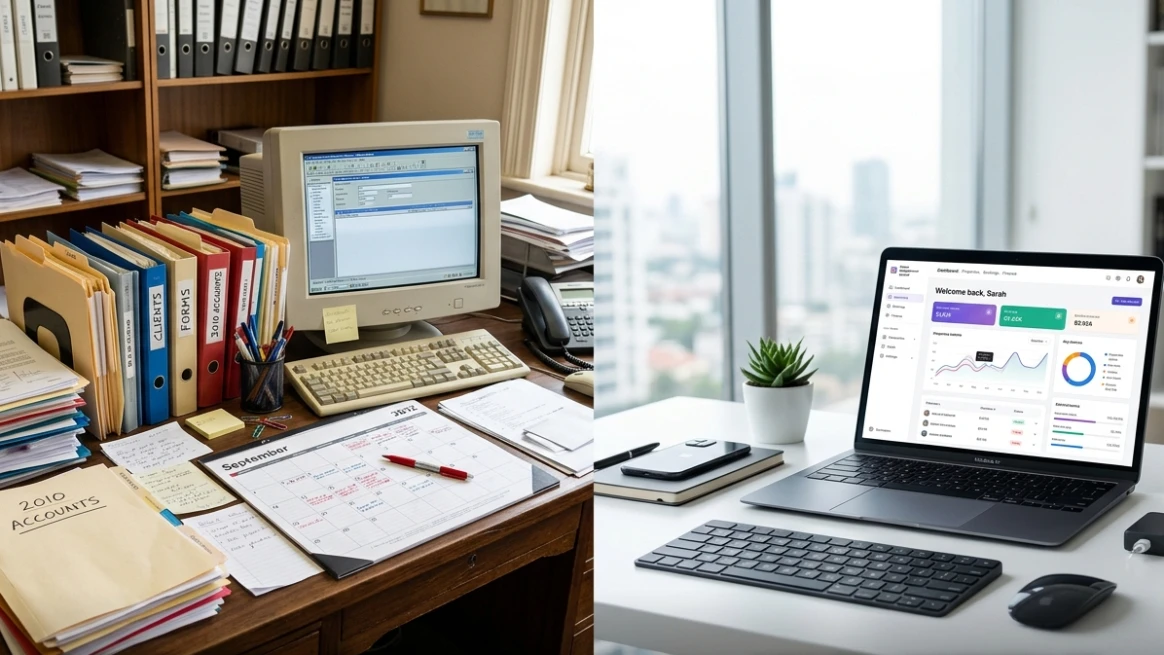
Rental businesses once relied on practical tools like paper forms, spreadsheets, calendars, phone calls, and email. These methods worked well when teams managed fewer orders and smaller inventories.
As rental operations grew, keeping those tools synchronized became harder. Employees had to update customer details, rental dates, equipment status, payments, and return information across different places.
Spreadsheets helped organize records, but they still depended on manual updates. A calendar might show a booking without showing whether the equipment was available, under maintenance, or already assigned elsewhere.
And communication became another challenge. Phone calls and emails remained useful, but important order changes could become difficult to track. Across multiple locations, teams could also have different information about the same equipment.
These gaps made simple mistakes easier to miss. A wrong date, duplicate entry, or outdated status could affect availability, fulfillment, or customer service.
Modern rental systems bring these activities together. They can connect reservations, inventory, pickup, returns, customer records, and individual equipment details within one system.
The goal is not to remove every manual task. It is to reduce unnecessary re-entry and give rental teams one reliable place to manage daily operations.
What Modern Rental Businesses Expect
Modern rental businesses expect software to support both customers and daily operations. You need online booking, inventory visibility, payments, agreements, fulfillment, returns, reporting, and customer information.
Online rentals let customers check availability and book equipment anytime. A connected rental website can send bookings into your system, reducing phone calls, duplicate data entry, and order mismatches.
Digital tools should simplify paperwork too. Electronic signatures let you collect signatures digitally. Clear rental agreements keep terms, charges, and return conditions tied to each rental record.
Integrated payments help you manage deposits, rental charges, invoices, and refunds within the same workflow. Your team can keep payment details connected to each order without switching between systems.
Mobile access lets your team work from warehouses, offices, and customer sites. They can review orders, record pickups, process returns, and update asset details wherever they work.
You also need clear reporting to track rental activity, inventory levels, asset details, and location performance. Flexible fulfillment supports customer pickup, local delivery, shipping, and transfers between locations.
Rental software is moving beyond basic recordkeeping toward connected operations. You can share information across daily tasks while keeping the system aligned with how your business works.
Essential Features of Enterprise Rental Order Management Software
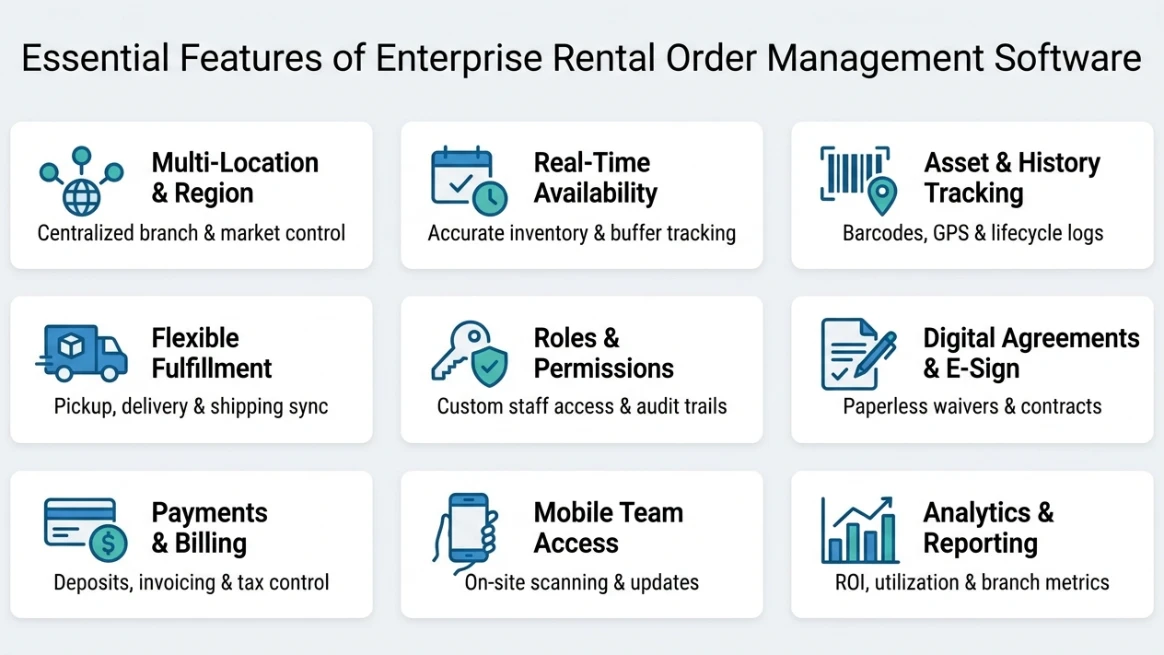
Enterprise rental operations need more than a basic booking calendar. As inventory, locations, and channels grow, keeping everything connected becomes necessary. The right software gives teams a clear, shared view of orders and operations.
Multi-Location Rental Management
Running multiple rental locations is complex. Equipment moves constantly, customers pick up and drop off at different branches, and keep availability accurate everywhere? That's a real challenge but one you can solve.
A centralized system lets you see all your equipment across every branch in real time. You'll always know what's available, where it is, and which location can fulfill an order.
When equipment moves between branches, your inventory updates automatically. No more conflicting records. Transfers are quick, accurate, and completely stress-free.
Location-level pricing and policies can vary without creating information silos. One branch might offer delivery while another focuses on pickup. Reliable software supports these differences cleanly and keeps everything connected.
Each branch can have its own pricing and policies, like delivery at one location and pickup at another, without causing confusion. Your software keeps it all connected and running smoothly.
When your team can see performance across all locations, everyone stays on the same page. Shared orders, customers, and reporting give you consistency while letting each branch keep its own local control.
When you manage many rentals across locations, centralized control makes everything easier. It keeps your rental inventory management accurate and cuts down on unnecessary equipment transfers between branches.
Multi-Region Support
As your rental business expands across states, provinces, or countries, managing different markets becomes more complex. Your enterprise rental software should help you handle these differences from one connected system.
Each region may have different currencies, prices, tax rules, languages, and operating practices. Regional settings let you adjust these details while keeping your orders and inventory connected.
Tax management is especially important. Sales tax can vary by state and location. Your software can apply configured rules, while you remain responsible for knowing where to register, collect, file, and pay.
You may also need to collect the right sales tax for each market. Your system should support these requirements without replacing professional tax guidance.
Fulfillment can differ too. You might offer delivery in one region and pickup or third-party shipping in another. Centralized reporting keeps these operations visible in one place.
With the right enterprise rental software, you can give each market the flexibility it needs while maintaining company-wide control and visibility.
Rental Inventory and Real-Time Availability
When you manage rental orders, knowing what is truly available matters. Your enterprise rental software should track items through reservations, rentals, returns, transfers, inspections, and maintenance.
You should quickly see whether an item is available, reserved, rented, in transit, being inspected, or unavailable. This helps your team make accurate promises to customers.
Your system should also consider rental dates and preparation time. An item returned at 10 a.m. may need cleaning, charging, repairs, or inspection before the next rental.
With this information, you can avoid booking equipment before it is ready. Padding time between rentals gives your team enough time to prepare each item properly.
You can also track equipment inventory by serial number for individual items. For interchangeable equipment, quantity tracking can show how many units are available at each location.
Centralized availability keeps every booking channel connected to the same inventory data. This reduces double bookings and helps you optimize inventory for your rental business with greater confidence.
Asset Tracking and Equipment History
Asset tracking gives each piece of equipment its own identity. You can see where an item is, how it has been used, and what has happened to it throughout its rental lifecycle.
Your system can store serial or barcode numbers, locations, rental history, condition, repairs, maintenance, photos, usage, and availability. You can choose the details that best fit your equipment.
Barcodes and QR codes can make check-ins, checkouts, transfers, and inventory counts easier. Equipment labeling also helps your team identify assets quickly and reduce manual errors.
For mobile equipment or vehicles, GPS and telematics can provide useful location and usage details. These tools can support asset tracking when your business has a practical need for them.
Maintenance history helps you know when equipment is ready for another rental. An item may be in your warehouse but still need repairs, inspection, or servicing before it can go out again.
Over time, your records can reveal useful patterns. You can see which assets are frequently rented, underused, often repaired, or nearing replacement. Barcode types can also support different tracking needs.
These insights help you make smarter purchasing decisions. You can compare rental activity, maintenance costs, and availability before adding equipment or replacing older assets.
Flexible Fulfillment: Pickup, Delivery and Shipping
Rental orders can follow different paths. Your customer may pick up equipment, request delivery, or receive it through a carrier. Your enterprise rental software should support each option.
You can manage customer pickup, scheduled returns, local delivery, shipping, and transfers between rental locations. This keeps every fulfillment method connected to the original rental order.
For pickups, you can set dates, business hours, return windows, and after-hours procedures. Your team can manage handoffs without relying on separate calendars.
Delivery may require addresses, zones, fees, time windows, drivers, routes, and completion updates. Your software should keep these details connected to each rental order.
Shipping may require labels, tracking details, carrier charges, packaging, and return coordination. Your setup should match your equipment, destination, and shipping provider.
Fulfillment should also update inventory when equipment is picked up, returned, or transferred. This gives you a clear view of where each item is and what happens next.
With connected tools, you can manage shipping rentals alongside pickup and delivery while keeping your operations organized.
User Roles and Permissions
As a rental business grows, employees take on different responsibilities. Office staff, managers, warehouse teams, drivers, field workers, and administrators rarely need the same access.
Role-based permissions allow businesses to decide what each person can view or change. A warehouse employee might update equipment status, while a finance employee handles payments and invoices.
Managers may need permission to approve discounts or oversee local orders. Administrators may have access to system settings and user management. Limiting these permissions can reduce unnecessary changes to sensitive information.
Location-based access can be especially useful for multi-branch operations. An employee may need to manage one branch without accessing every customer, order, or inventory record across the company.
Businesses should also review activity records for important actions. An audit history can help show who changed an order, adjusted inventory, issued a refund, or modified another sensitive record.
The exact permission structure varies between platforms. Some provide predefined roles, while others allow detailed customization. The important question is whether the system matches the organization's responsibilities.
Clear permissions can also simplify onboarding. New employees can receive access based on their role instead of being given broad system access simply because configuring individual permissions is difficult.
Rental Agreements, Waivers and Electronic Signatures
Your rental agreements set clear terms for each order. They can cover equipment, rental periods, pricing, deposits, returns, damage rules, and other conditions that apply to the rental.
With digital documents, you can reduce paperwork and connect agreements directly to customer and order records. Customers can review and sign before pickup or delivery when your workflow allows it.
Electronic signatures also make recordkeeping easier. Your team can quickly find completed documents within the related rental record instead of searching through physical files.
Waivers can help address certain rental risks, but they do not remove every legal responsibility. Their effect depends on the document, transaction, circumstances, and applicable laws. A rental liability waiver may be useful where appropriate.
In the U.S., the federal E-SIGN Act generally recognizes electronic signatures and records in covered transactions, with exceptions. You should still review laws that apply to your specific situation.
Your rental software should connect templates, signature status, completed documents, and orders. Reviewing rental agreements can also help you build a clearer process.
Payments, Pricing and Tax Management
Rental payments can include more than the initial charge. Your enterprise rental software should handle deposits, extensions, delivery fees, refunds, extra charges, and recurring payments.
Connecting every payment to its rental order gives your team a clear financial record. You can quickly see what the customer ordered, paid, and changed later.
Pricing may vary by rental length, season, quantity, customer type, location, or package. Flexible rental pricing lets your system apply these rules without manual calculations.
You may also need bundle pricing for packages or different rental rates for specific equipment. For longer rentals, recurring-billed rentals can simplify regular payments.
Your system should also support invoices, partial payments, deposits, and post-return charges when needed. Businesses can compare online rent payment systems to find options that fit their payment workflow.
Tax setup needs care, especially in the U.S. Rates can vary by location. You should confirm your tax obligations before configuring your software.
Mobile Access for Rental Teams
Rental work does not always happen at a desk. Your teams may work in warehouses, yards, vehicles, customer locations, or event sites while equipment and orders keep moving.
Mobile access lets your staff update rental information wherever work happens. They can review orders, check equipment out, process returns, scan assets, record conditions, and confirm deliveries.
Mobile tools also reduce duplicate data entry. Your team can record information during each transaction instead of writing notes and entering them into the office system later.
Your staff can also capture digital signatures, take condition photos, add notes, and confirm deliveries from a mobile device. This keeps customer and equipment records up to date.
Offline access can help at sites with poor connectivity. Check what your system supports offline and how it handles data synchronization when the connection returns.
Security still matters. Give each user only the access their role requires, and have clear procedures for lost devices and employees who leave.
With reliable mobile access, your teams can keep field activity connected to office records and reduce delays across the rental process.
Reporting and Business Data
Your enterprise rental software should do more than store information. It should help you understand how orders, inventory, assets, customers, locations, and maintenance affect your business.
Useful reports can show revenue, rental volume, asset usage, inventory availability, maintenance, late returns, cancellations, customer activity, payments, and fulfillment performance. These insights help you make informed decisions.
Asset-level reports can compare equipment usage, maintenance, and revenue. This information can support better purchasing, replacement, service, and inventory decisions.
You can also measure rental ROI to understand equipment performance.
Location reports help you compare branches, but context matters. Seasonal demand, inventory, pricing, staffing, costs, and local market conditions can all influence results.
Centralized reporting can reveal frequently rented or underused equipment. You can use this rental business data to rebalance inventory or plan future purchases.
Reliable reports depend on accurate records. Missing returns, incorrect counts, inconsistent asset IDs, or delayed updates can affect results.
Tracking your rental business's profitability can then give you a clearer view of overall performance.
What Enterprise-Ready Rental Management Looks Like
Keep orders, inventory, assets, payments, and fulfillment connected as your rental business grows.
- 14-day free trial
- No credit card required
Common Rental Management Problems Modern Software Can Help Prevent
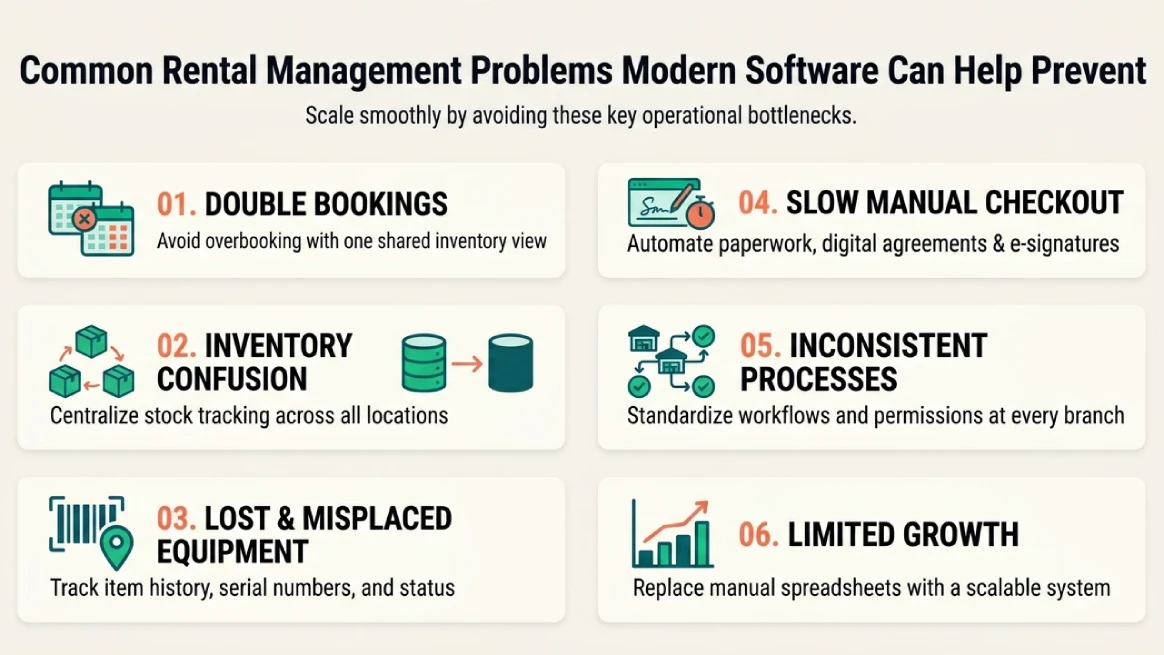
Starting a rental business is often simple. But as it grows, managing it gets complicated fast. A modern rental management system keeps your orders, inventory, customers, and staff connected in one place. It gives you a chance to fix issues before they become expensive.
Double Bookings
Double bookings can quickly create stress when online, phone, and counter bookings use separate availability records. You may promise equipment that is already reserved elsewhere.
Modern rental software keeps inventory status in one place. You can see what is available, reserved, rented, or unavailable before confirming an order.
It can also include preparation time between rentals. This helps keep returned equipment unavailable while your team inspects, cleans, charges, or maintains it.
With one shared inventory view, you can better handle double booking and keep schedules realistic. It’s a simple step toward smoother daily rental operations.
Inventory Confusion
Inventory confusion often begins when your team lacks one clear view of what you actually have. Spreadsheets, branch records, and booking calendars can easily show different information.
Modern rental software brings these details together in one place. Your staff can see available stock alongside reservations, returns, transfers, and current rental status without checking several systems.
This becomes even more helpful when you manage multiple locations. You can quickly see which branch has a particular item instead of assuming it is unavailable or needs to be purchased again.
Rental systems can also track equipment as it moves between branches, warehouses, and customer locations. Each transfer creates a clearer record, so your team knows where items should be.
Better visibility means less time tracking updates. You can plan schedules, move equipment, and make purchasing decisions with confidence. Managing your daily rental work becomes a little easier.
Lost or Misplaced Equipment
Equipment becomes harder to manage when your team cannot quickly see where each item is, who used it, or when it last moved. This matters even more as your inventory grows.
Serial numbers and barcodes can connect individual assets with rental activity. Staff can scan equipment during checkout and return, creating a clearer record of which unit moved and when.
Modern rental software can also keep equipment history alongside rental information. You can see rental activity, condition, maintenance records, and current status without searching through separate records.
Software will not automatically find every missing item. Instead, it creates useful records that can help you spot unusual movements and investigate them before equipment disappears from view.
For valuable or frequently moved assets, better tracking can also support smarter maintenance and utilization decisions. Understanding the benefits of asset tracking can show how these records support stronger rental operations.
Slow Manual Checkout
Manual checkout can slow your team down when employees enter customer details, prepare paperwork, collect signatures, confirm payments, and update inventory in separate steps.
Modern rental software can move much of this work earlier. Customers can choose rental periods, enter their details, and make payments before they arrive, which helps your team start faster.
Digital agreements and electronic signatures can cut down paperwork too. Signed contracts or waivers can stay connected to the rental order, so staff do not have to track loose documents.
Barcode scanning can make the physical handoff easier as well. Your team can scan equipment as it leaves instead of entering each item manually, which can reduce mistakes.
With these steps connected, checkout becomes easier to manage. Customer details, rental dates, payments, agreements, and inventory can stay linked to one order. That helps prevent small manual tasks from becoming bigger delays.
Inconsistent Processes Across Locations
Multi-location rental businesses can develop different habits at each branch. One team may handle agreements one way, while another follows different approval steps or inventory procedures.
Centralized permissions can help you decide who can access specific functions. Managers may have broader access, while warehouse or front-counter staff work with the tools they need.
Shared workflows can also help branches follow the same basic process for reservations, checkouts, returns, payments, and inventory movements. This creates consistency without making every location work exactly alike.
Location-aware inventory records are just as useful. Modern rental systems can connect inventory activity to specific locations and make transfers between branches easier to track.
The aim is not to remove local control. Instead, a centralized system gives you common rules while letting each team manage its daily work. This can make operations more consistent as your rental business grows.
Limited Growth
Growth can reveal rental management problems that were easy to handle when your business was smaller. More orders, equipment, employees, customers, and locations create more work every day.
As things grow, separate spreadsheets and manual processes can become harder to maintain. Modern rental software can connect reservations, inventory, payments, and daily rental tasks in one system.
Inventory control also needs to keep pace. Tracking individual items by serial number, location, transfer, and rental history can become more useful as your equipment fleet gets larger.
The good news is that you do not need an enterprise system on day one. You can look for software that fits your current workflow and still gives you room to grow.
That flexibility can help prevent growth from creating new management issues. When you add customers, equipment, employees, or locations, your core rental processes can keep moving without starting over.
For growing rental businesses, the goal is not software that feels oversized. It is a system that can handle more work as your business expands, without making everyday tasks harder.
How to Choose the Right Rental Order Management Software
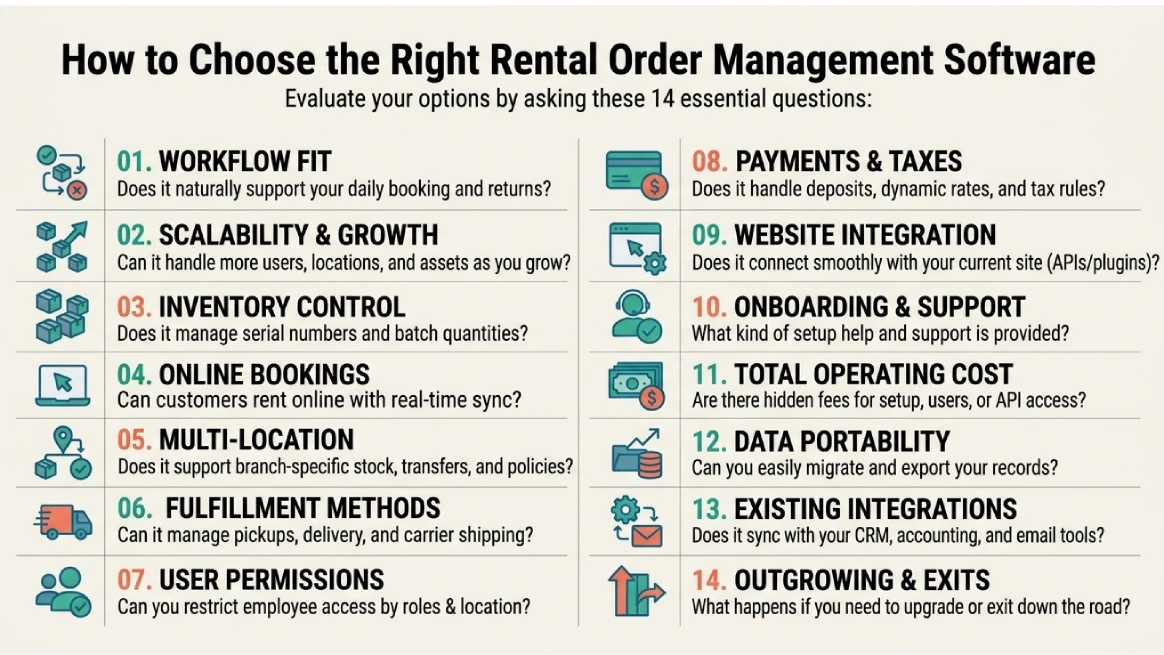
Choosing the right rental order management software starts with understanding your actual business needs and workflows. The questions in the following section will help you evaluate different options and determine which solution best fits your rental operation.
Does It Fit Your Rental Workflow and Support Online Rentals?
Check whether the platform fits your process from quotes and rental periods to reservations, payments, fulfillment, returns, and billing. Test the online booking experience, availability checks, agreements, and payments across devices. It should support customer preferences without creating extra work for your team.
Can It Handle Growing Inventory, Assets, Locations, and Orders?
Think beyond today’s workload. Check limits for users, assets, locations, transactions, and API access. Make sure the system can track individual equipment, serial numbers, condition, maintenance, transfers, and location-specific availability as your inventory and operations expand.
Can It Support Multiple Locations and Fulfillment Methods?
Check how the platform handles branches, location-specific inventory, transfers, pickup points, returns, delivery addresses, shipping, tracking, and fulfillment fees. Information should stay connected to each rental order while giving local teams enough control and management a broader view.
Can You Control Employee Permissions and Business Access?
Look for role-based permissions that control what employees can view or change. Check location-based access, activity records, administrative controls, and access removal. The system should protect important information without making everyday tasks harder for your staff.
Does It Support Payments, Taxes, and Different Rental Charges?
Rental orders can include deposits, refunds, extensions, late charges, and additional fees. Test how refunds work and how order changes affect payments. Also check whether tax settings support your operating locations while recognizing that software does not replace your tax responsibilities.
Does It Work With Your Existing Website and Business Systems?
You may not need to build your website again. Check for APIs, plugins, booking tools, and integrations with accounting, CRM, payment, tax, shipping, or reporting systems. Confirm what data moves between systems, how it syncs, and whether extra development or fees apply.
Does the Provider Offer Implementation, Training, and Support?
Ask what implementation includes, from configuration and migration to testing, training, and launch. Review support channels, response expectations, documentation, and escalation options. For larger operations, confirm whether the provider has experience supporting businesses with similar rental workflows.
What Are the Total Costs and Long-Term Terms?
Look beyond the subscription price. Consider setup, migration, training, integrations, payment processing, hardware, premium features, and staff time. Ask how costs change with more users, locations, or transactions. Also review contracts, pricing changes, and terms if you eventually leave.
How Easy Is It to Migrate, Export, and Protect Your Data?
Ask how customer, order, inventory, asset, and financial records move into the system. Confirm how duplicates and incomplete data are handled, what backups and security controls are provided, and whether you can export usable data if you eventually change platforms.
What Happens If You Outgrow or Leave the Platform?
Ask how the system handles more locations, equipment, users, orders, and integrations. Review API access, data exports, contract terms, migration requirements, and pricing changes. The platform should support your future needs without making it unnecessarily difficult to move your business elsewhere.
How RentMy Helps Rental Businesses Launch, Manage, and Grow
RentMy gives you one complete solution to manage orders, inventory, locations, and assets. You can offer online rentals, handle pickup, delivery, shipping, payments, pricing, and taxes, while your team stays connected and your business keeps growing.
Online Reservations
Online reservations give you an easier way to start accepting bookings without relying on constant calls or messages. Customers can book when convenient, while your team spends less time on routine requests and more time managing the growing business.
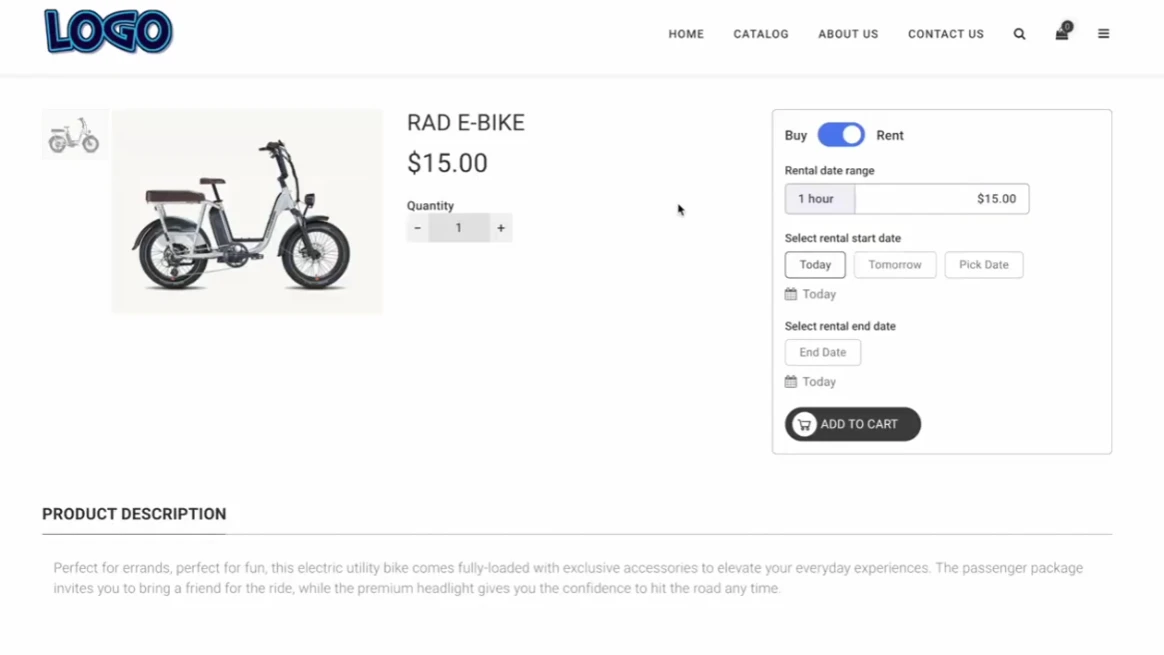
Real-Time Availability Tracking
Accurate availability helps you manage bookings with fewer surprises. Customers can see what they can rent, while your team can avoid double bookings and unnecessary checks. This becomes increasingly valuable as your rental operation handles more orders and equipment.
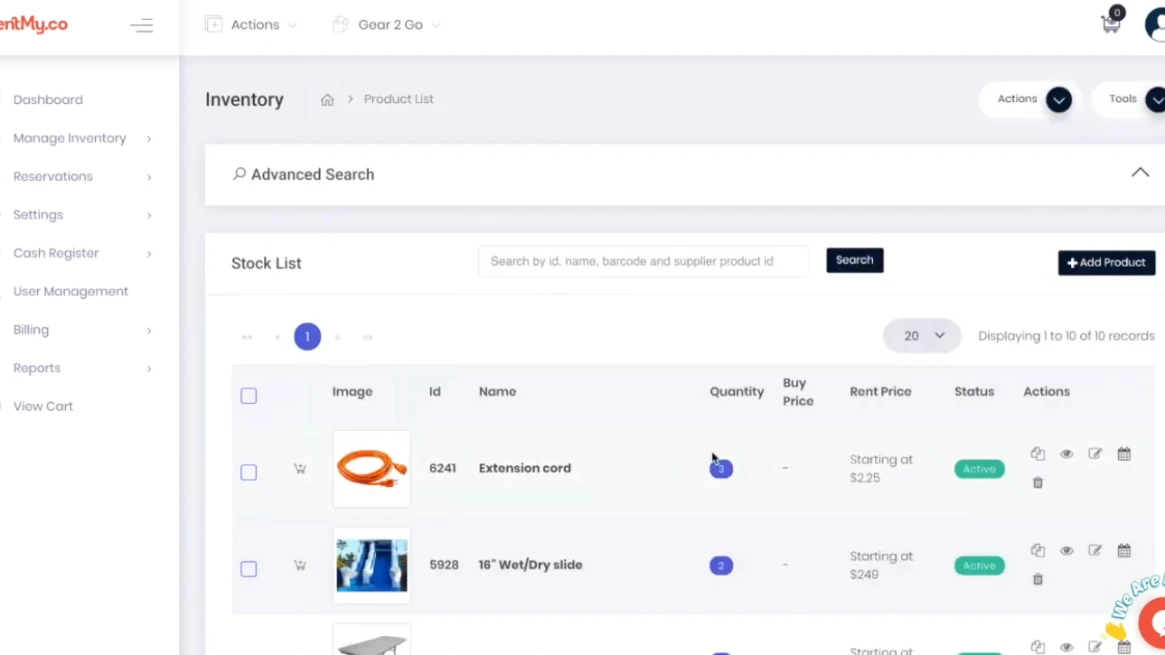
Secure Online Payments
Online payments can make rental transactions easier to manage from the start. Deposits and payments can be handled before pickup, helping reduce unpaid bookings and delays. As order volume grows, a smoother payment process can also reduce repetitive work.
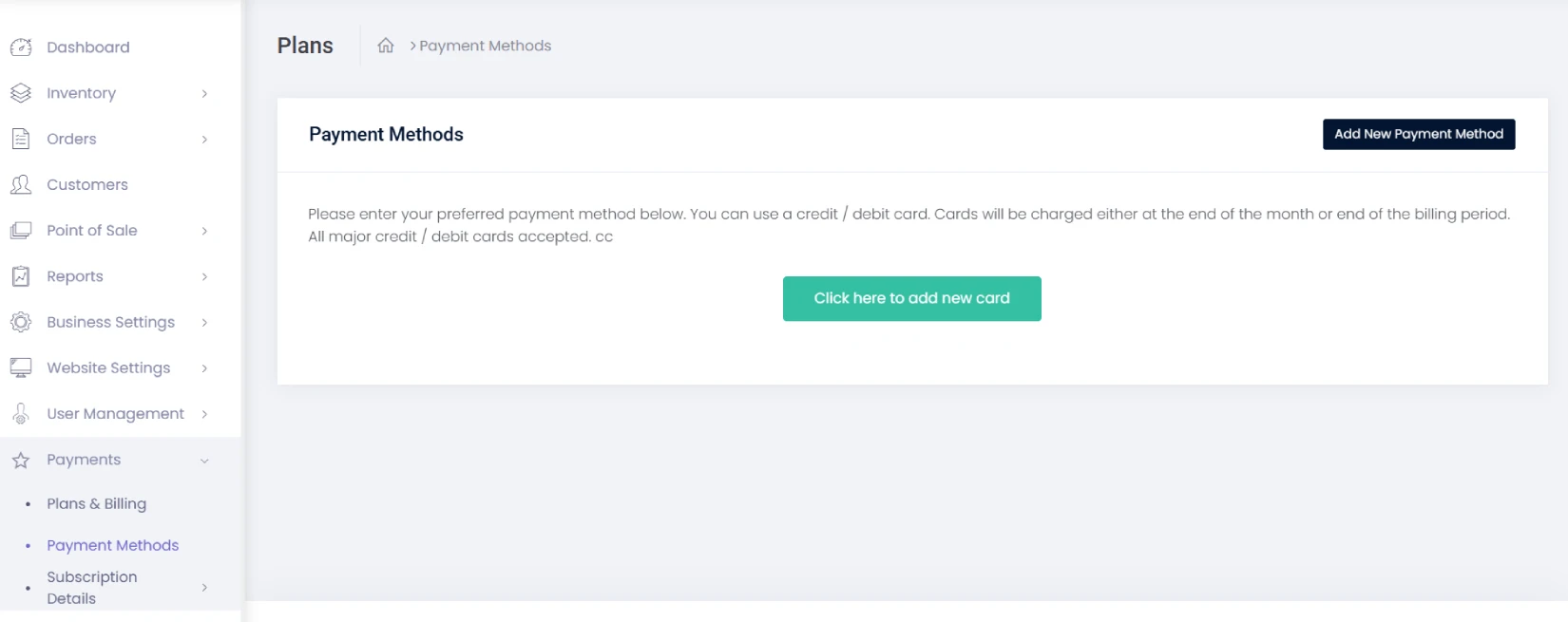
Inventory Management
Better inventory visibility helps you manage rental equipment with greater confidence. Knowing what is available, reserved, rented, or unavailable can reduce misplaced items and manual counting. As your business grows, this gives your team a clearer foundation for fulfilling more orders.
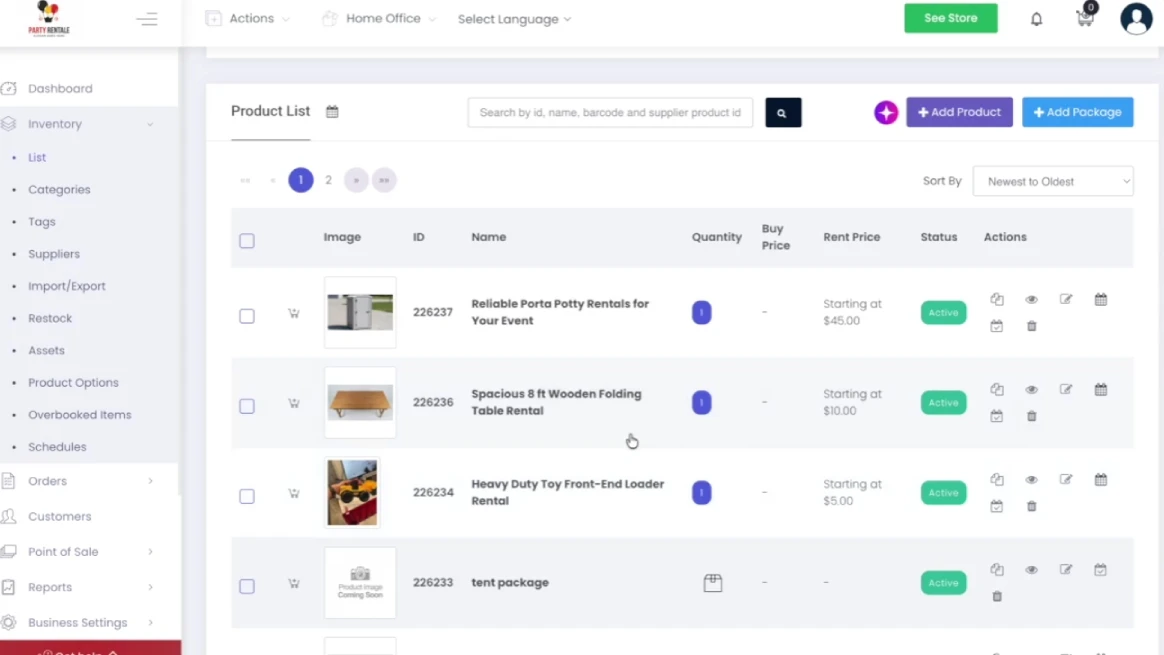
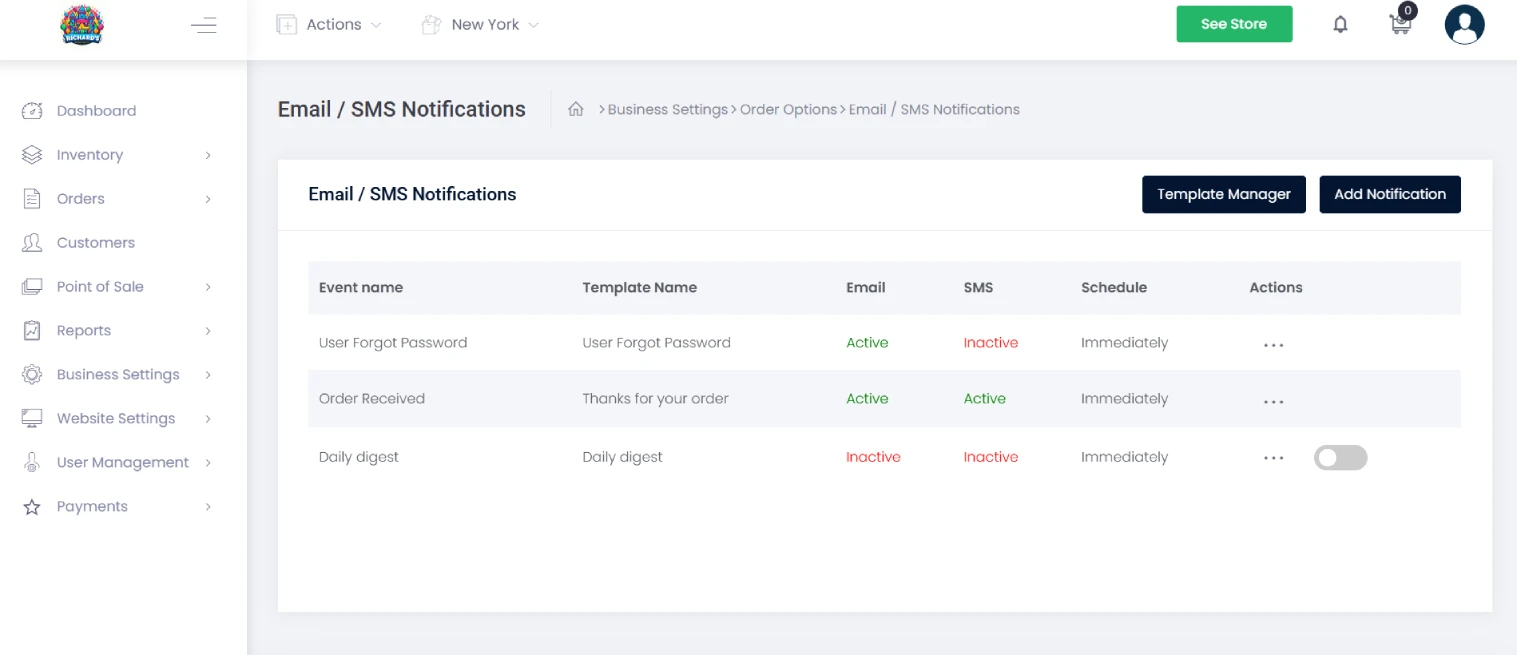
Automated Customer Reminders
Automated reminders help keep customers informed about upcoming rentals, pickup details, and returns. This can reduce missed bookings and late returns while lowering repetitive communication for your team. Better communication becomes especially helpful as your customer base and order volume grow.
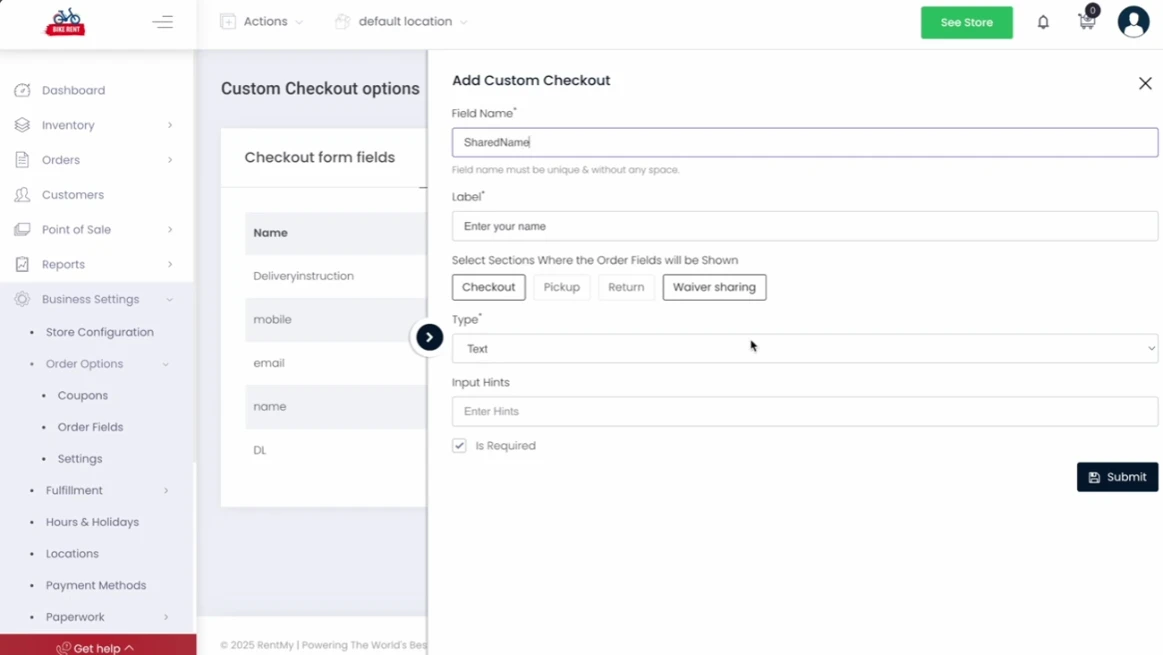
Digital Waivers
Digital waivers can simplify the paperwork involved in getting a rental started. Customers can complete required agreements before pickup, while your team keeps records organized. This can create a smoother customer experience and reduce administrative work as bookings increase.
Mobile-Friendly Booking
With over 96% of internet users browsing on mobile, a mobile-friendly booking process matters. Customers can check availability, pay, and complete required steps from their phones, making it easier to turn interest into completed rentals.
One Connected Rental Operation
As your rental business grows, separate systems can slow you down. RentMy brings key rental tasks together. It helps you to launch faster, manage daily work, and grow with less hassle.
More Rentals Without More Manual Work
Keep orders, availability, payments, assets, and fulfillment moving together.
- 14-day free trial
- No credit card required
Conclusion
Well, that brings us to the finish line. We’ve explored enterprise rental order management, its essential features, common operational problems, scalability needs, and the questions worth asking before choosing your next system.
The right platform should make daily work easier, not create another layer of complexity. Look for a system that fits your current operation while giving your team room to handle more orders, assets, customers, and locations.
Your software choice can shape how confidently your business grows. Take what you’ve learned here, compare your options against real workflows, and choose a solution built for the operation you’re creating.
FAQs
What Is Enterprise Rental Order Management?
Enterprise rental order management is the process of handling reservations, inventory, fulfillment, returns, payments, and customer information through a connected system. It gives rental teams one place to manage the full rental lifecycle.
What Does Rental Order Management Software Do?
Rental order management software helps businesses manage bookings, check availability, process payments, organize fulfillment, track returns, and update inventory. It can connect these activities so employees spend less time moving information between separate systems.
What Features Should Rental Management Software Have?
Look for real-time availability, inventory and asset tracking, online booking, payments, rental agreements, digital signatures, fulfillment tools, reporting, customer records, and mobile access. Businesses with multiple locations may also need location controls and transfer management.
How Does Rental Software Help Manage Multiple Locations?
Rental software can give teams a shared view of inventory and rental activity across locations. It can also support asset transfers and location-based records, helping managers see where equipment is and how it is being used.
Can Rental Software Track Individual Equipment?
Yes. Some rental systems can track individual assets using serial numbers, asset tags, or barcodes. RentMy, for example, maintains rental history for tracked assets, including rental cycles, revenue, and cost information.
Can Rental Software Support Pickup, Delivery, And Shipping?
Yes. Depending on the platform, rental software can support customer pickup, local delivery, and shipping. RentMy supports pickup, delivery, and shipping workflows, including delivery fees and advanced shipping through its ShipEngine integration.
Can RentMy Help A Rental Business Grow?
Yes. RentMy combines online booking, real-time inventory, payments, asset tracking, delivery and pickup, customer accounts, reporting, and other rental tools. Its platform is designed for businesses ranging from smaller operations to multi-location rental companies.