


Running a rental business means trusting customers with valuable gear. What happens if someone gets hurt or claims your equipment caused damage? Where do you find an equipment rental liability waiver template that fits your business and still feels clear to customers signing it?
The rental industry is growing fast. For example, the construction equipment rental market could hit $140 billion by 2027. This brings more customers, contracts, and a stronger need for clear legal terms.
Here, you’ll find a breakdown of what a waiver template should contain, how it works legally, and a template you can use. We’ll also share tips for daily use. Let’s dive in!
What Is an Equipment Rental Liability Waiver?
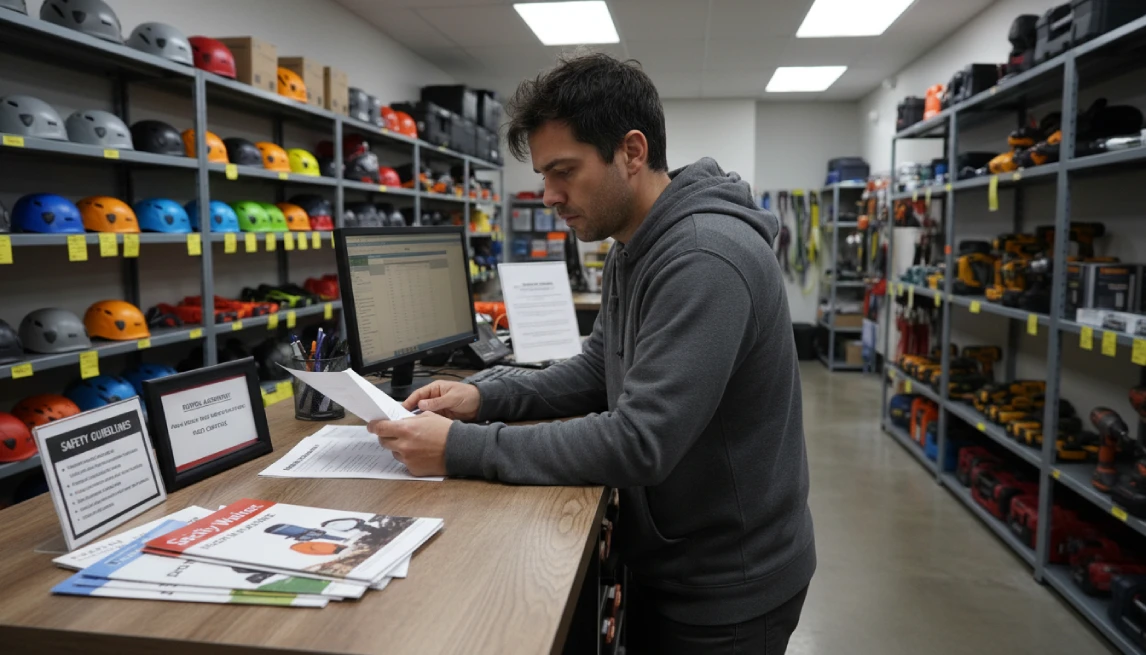
An equipment rental liability waiver is a legal document signed by a customer that acknowledges the risks of using rented equipment and agrees not to hold the business responsible for any resulting injuries, damages, or losses. This contract serves to protect the rental company from potential negligence claims.
When a customer signs this form, they’re confirming they understand the dangers involved and won’t sue your business if something goes wrong. It’s a major safety and legal step for both the renter and the company.
Why Every Rental Business Needs a Liability Waiver
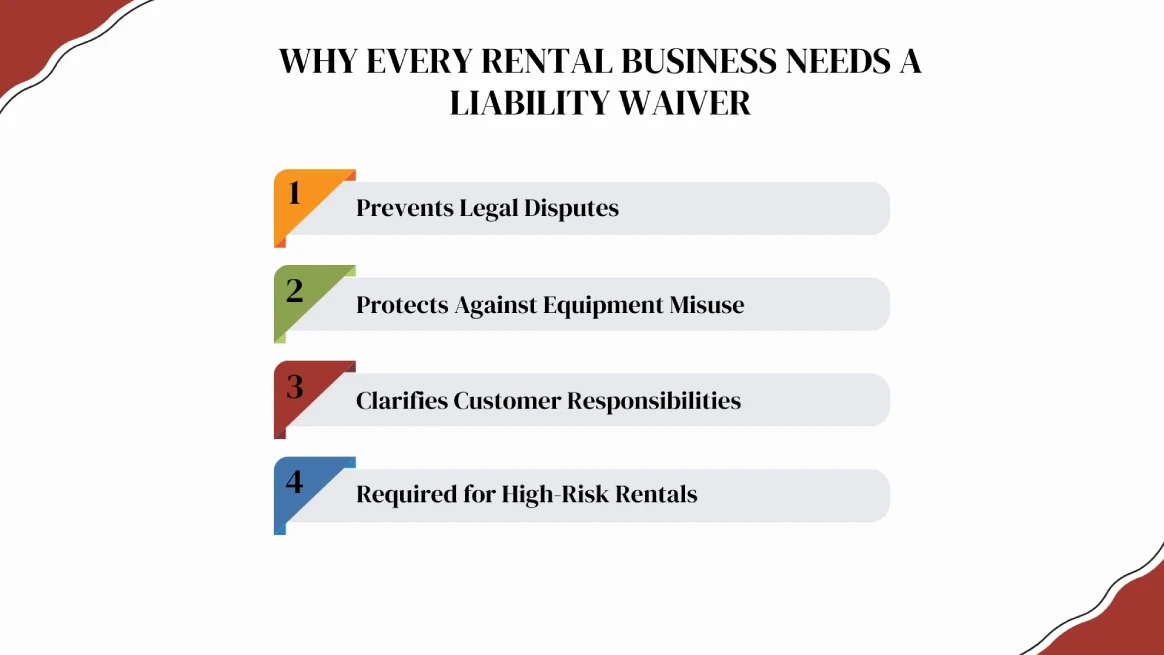
A well-written waiver sets clear terms, helps prevent legal disputes, and reduces the risk of frivolous lawsuits. It ensures everyone understands their responsibilities upfront.
A waiver also protects against equipment misuse. By signing, customers confirm they know how to operate items safely and take full responsibility for their use. This is especially important for complex or heavy-duty rentals like power, construction tools, or party inflatables.
Additionally, waivers clarify accountability for lost or stolen items, avoiding confusion later.
For high-risk rentals, like outdoor adventure gear or heavy machinery, insurance companies often require waivers to mitigate liability.
Proper documentation safeguards your business, establishes boundaries, and ensures smooth operations.
Try Our Free Rental Liability Waiver Generator
Create a professional, print-ready waiver in seconds. Simply fill in the details below. Click print to save as a PDF.
Waiver Generator
Disclaimer: This waiver generator is provided for general informational purposes only and does not constitute legal advice. Generated documents should be reviewed and customized to comply with applicable laws before use.
Automate your waiver process: send, sign, and store them all within RentMy.
- Free trial
- No credit card required
Damage Waiver vs. Liability Waiver (Key Difference)
Many rental business owners confuse damage waivers with liability waivers. They cover completely different things.
Feature | Damage Waiver | Liability Waiver |
Primary Focus | Protects the Equipment | Protects the Person/Business |
What it Covers | Accidental scratches, dents, or broken parts. | Bodily injury, death, or lawsuits from negligence. |
Financial Impact | Includes coverage for item repairs or replacements. | Covers medical bills and legal defense fees. |
Required? | Often optional (an upsell for customers). | Mandatory (should be required for all rentals). |
Pro Tip: You can bundle both into one document. Our generator does this by including clauses for “Possession and Integrity of Equipment.”
What Should an Equipment Rental Waiver Include?
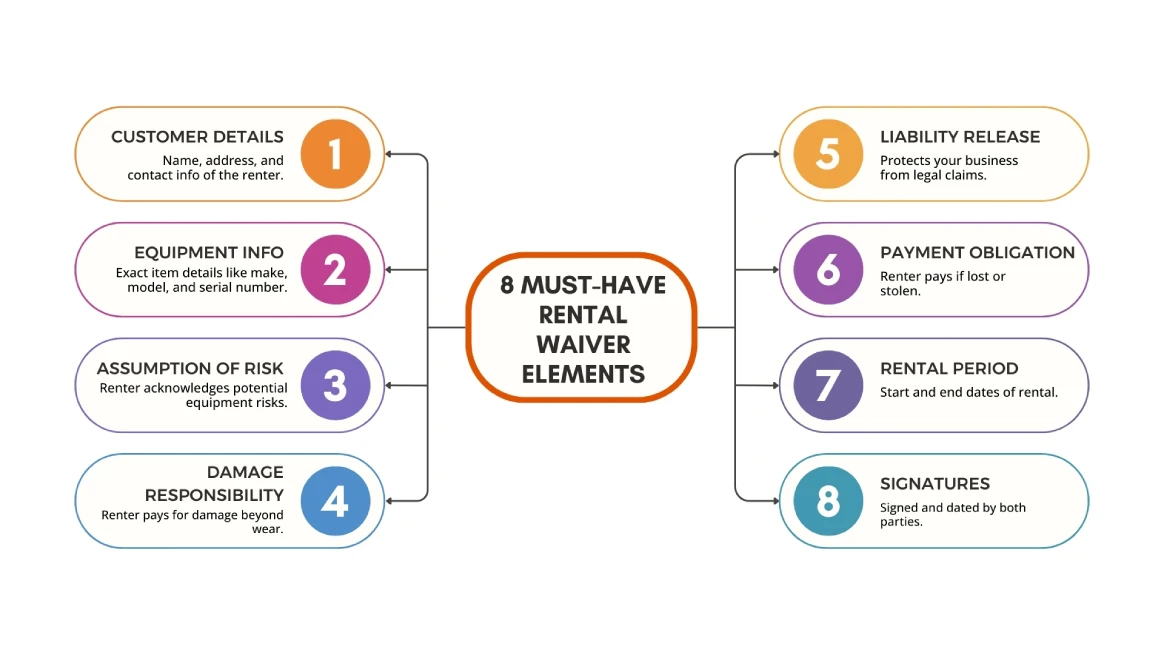
To ensure your rental equipment liability waiver form is legally binding, start with accurate customer information and a detailed description of the equipment, including make and model.
It must clearly outline the assumption of risk, which ensures renters acknowledge potential dangers before use.
Next, establish financial accountability by defining damage responsibility for repairs beyond normal wear and tear, alongside payment responsibility for the full replacement value if the item is stolen.
The core of the document is the Liability Release Statement, which protects your business from lawsuits.
Finally, define the duration of rental with specific dates and ensure the agreement is finalized with signatures from both parties. This structured approach guarantees that all safety and financial expectations are met before the equipment leaves your site.
Free Equipment Rental Liability Waiver Template (Copy & Use)
Do you prefer to use a Word processor? Here is a standard template you can copy and paste.
1. ACKNOWLEDGMENT OF RISK
I, the undersigned Renter, understand that the rental and use of the equipment described above involves inherent risks of injury, property damage, or loss. These risks include equipment failure, environmental hazards, and cover the cost to repair or replace the item. The physical demands of operation. I voluntarily assume all risks, known and unknown, associated with this rental.
2. LIABILITY RELEASE, WAIVER FORM, AND RISK ASSUMPTION
TO THE FULLEST EXTENT PERMITTED BY LAW, THE RENTER HEREBY RELEASES, WAIVES, AND FOREVER DISCHARGES THE COMPANY (INCLUDING ITS OWNERS, OFFICERS, EMPLOYEES, AND AGENTS) FROM ANY AND ALL LIABILITY, CLAIMS, DEMANDS, OR CAUSES OF ACTION FOR PERSONAL INJURY, DEATH, PROPERTY DAMAGE, OR LOSS SUSTAINED BY THE RENTER OR ANY THIRD PARTY ARISING OUT OF OR RELATED TO THE POSSESSION, USE, OR OPERATION OF THE RENTED EQUIPMENT. THIS RELEASE APPLIES REGARDLESS OF WHETHER THE CLAIM ARISES FROM THE NEGLIGENCE OF THE COMPANY OR OTHERWISE.
3. SAFE USE & OPERATING INSTRUCTIONS
The Renter agrees to strictly adhere to the following safety guidelines:
- DO: Perform a visual inspection of the equipment before use and report any damage to the Company immediately.
- DO: Wear all manufacturer-recommended personal protective equipment (PPE), including but not limited to helmets, gloves, or eye protection.
- DO: Operate the equipment only for its intended purpose and stay within all rated capacities and weight limits.
- DON’T: Allow any unauthorized, underage, or untrained individuals to operate or use the equipment.
- DON’T: Use the equipment if it appears damaged, malfunctions, makes unusual noises, or appears unsafe in any way.
- DON’T: Attempt to modify, alter, or perform any unauthorized repairs on the equipment or its safety features.
4. INDEMNIFICATION & FINANCIAL RESPONSIBILITY
I agree to indemnify and hold the Company harmless from any claims, damages, and legal fees arising from my use of the equipment. I accept full financial responsibility for the equipment and agree to pay for all repairs (in the case of damage) or the full replacement cost (in the case of loss or theft). I authorize the Company to charge my payment method on file for these costs.
5. GOVERNING LAW & JURISDICTION
This Agreement shall be governed by and construed in accordance with the laws of the State/Province of __________________________. Any legal proceedings arising out of this Agreement shall be held in the courts located in __________________________ [County/City].
6. SEVERABILITY
If any portion of this Agreement is found to be unenforceable or invalid by a court of law, the remaining provisions shall continue in full force and effect.
7. ACKNOWLEDGMENT OF UNDERSTANDING
I HAVE READ THIS ENTIRE AGREEMENT CAREFULLY. I FULLY UNDERSTAND THAT BY SIGNING THIS DOCUMENT, I AM WAIVING CERTAIN LEGAL RIGHTS, INCLUDING THE RIGHT TO SUE THE COMPANY.
RENTER SIGNATURE: ________________________________________ DATE: __________
PRINT NAME: ________________________________________________
PARENT/GUARDIAN SIGNATURE (If Renter is a minor): _____________________________
Disclaimer: This template is intended for general guidance and is not a substitute for legal advice. Laws vary by location, and enforceability depends on your specific circumstances. You should customize this document and have it reviewed by a qualified attorney before use. Use at your own risk.
When Should You Use This Waiver?
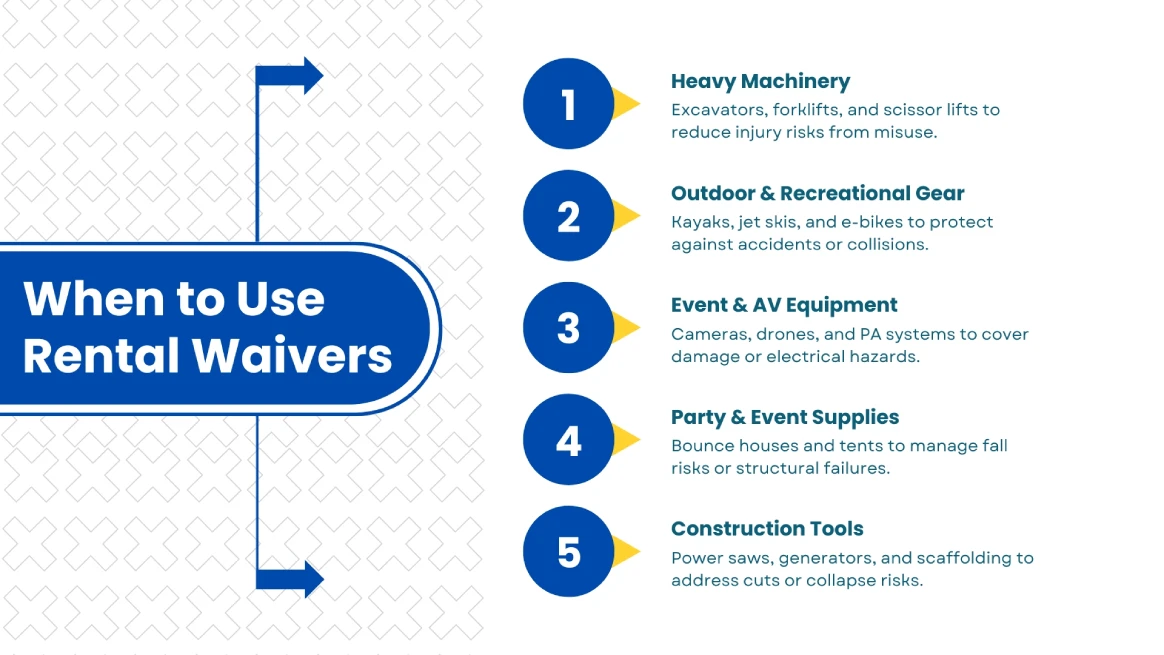
Use an equipment waiver form for any item that is valuable or risky. If it costs over $500 or could cause injury, a waiver is a must. This protects your business when renting out heavy equipment like excavators and forklifts.
The same rule applies to the outdoor and recreation industry. For items like kayaks, jet skis, e-bikes, and camping gear, a waiver informs customers of the risks involved.
Always require a signed waiver for construction gear like power tools and scaffolding, as these items can be dangerous to use.
Waivers are also important for events and AV equipment. Expensive gear like cameras, drones, and PA systems are significant investments that need protection.
Similarly, party rentals such as bounce houses and dunk tanks carry liability risks. A waiver helps cover you in all these situations, ensuring your customers understand their responsibilities.
State-Specific Requirements (USA Focused)

Liability waivers are generally enforceable across the U.S. for ordinary negligence, as long as they are clear and specific.
However, no state enforces waivers for gross negligence, recklessness, or intentional actions. California and New York carefully review waivers. They allow them for ordinary negligence but reject any that try to cover gross negligence.
Louisiana is unique, as its Civil Code Article 2004 makes personal injury waivers mostly unenforceable, though waivers for property damage may still apply.
In Montana and Virginia, stricter limits exist, especially for recreational activities, where waivers are often invalid unless they include very clear language.
Disclaimer: Liability laws vary by state and change often. This is for informational and educational use only and should not be considered legal advice. Consult a qualified attorney to ensure your documents meet current regulations.
Best Practice for All States
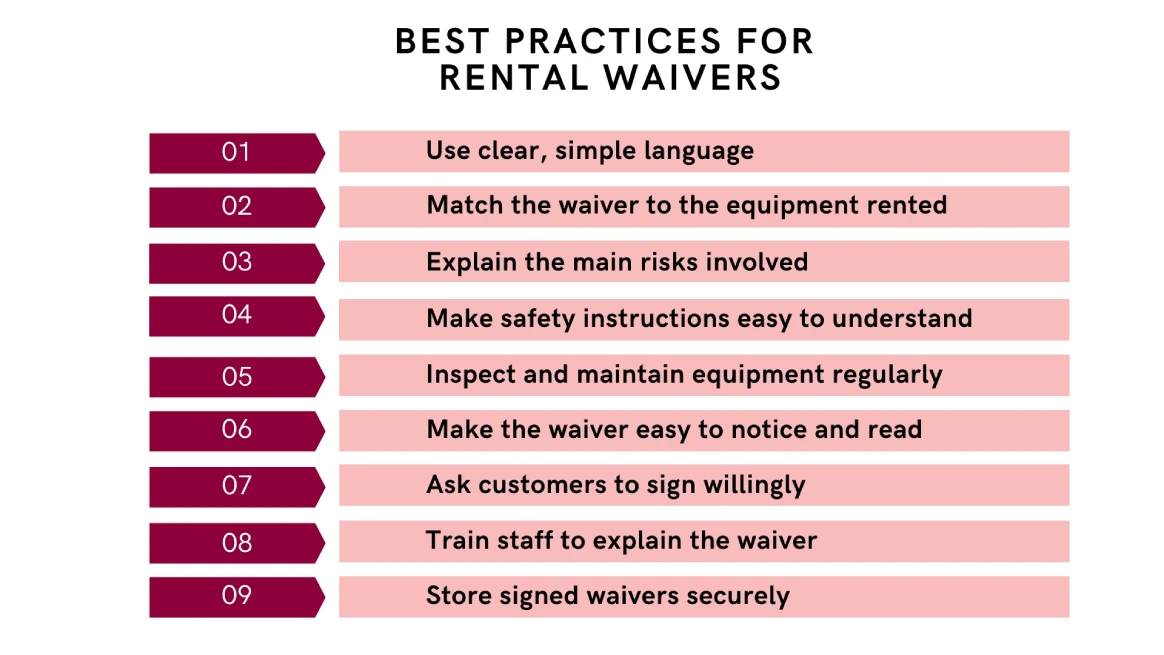
To protect your business, start by using plain language to explain risks without legalese.
Customize each waiver to the specific equipment and its hazards, ensuring it is conspicuous and not buried in fine print.
Pair these documents with safety instructions and maintenance logs, then have a local attorney review them for state compliance.
When presenting the waiver, ensure customers sign voluntarily and confirm their understanding via checkboxes. This transparency ensures they acknowledge all known and unknown dangers.
To support this, train your staff to explain the terms verbally and answer questions.
Finally, store all signed copies securely with digital backups and timestamps for easy retrieval.
By following these simple steps, you can create a strong safety net that protects your rental business from liability.
Disclaimer: The information provided serves educational needs and does not represent legal advice. We are not liable for its use. Since laws vary by jurisdiction, consult a local attorney to review your rental equipment liability waiver and ensure it complies with state laws and regulations.
How RentMy Helps You Manage Waivers Automatically
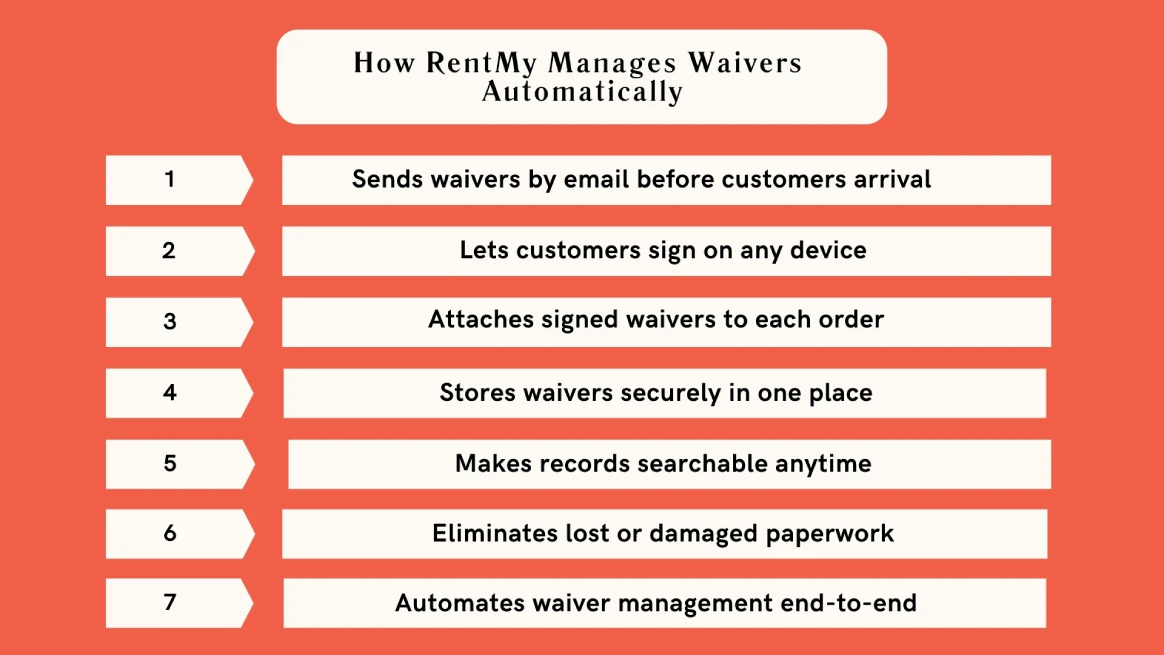
Tired of dealing with messy paper waivers? They’re easy to lose, damage, or misfile, leaving your business at risk.
RentMy takes that worry away by digitizing your entire waiver process. Instead of chasing signatures, you can email waivers directly to customers. This allows them to sign on their phones or computers before they even arrive.
Once signed, the waiver is automatically attached to their rental order in your dashboard, so you never have to search for it.
Everything is stored securely in one place, creating a permanent, searchable digital record of every agreement. This means less paperwork for you and a quicker, more professional experience for your customers.
Stop chasing paper. Start automating your protection with RentMy.
How to Use Waiver Sharing & Digital Signatures in RentMy
Collecting signatures is easy with RentMy. You can get digital signatures from everyone in a rental group, not just the person who paid. Here’s how to set it up step-by-step.
Prepare Your Legal Language
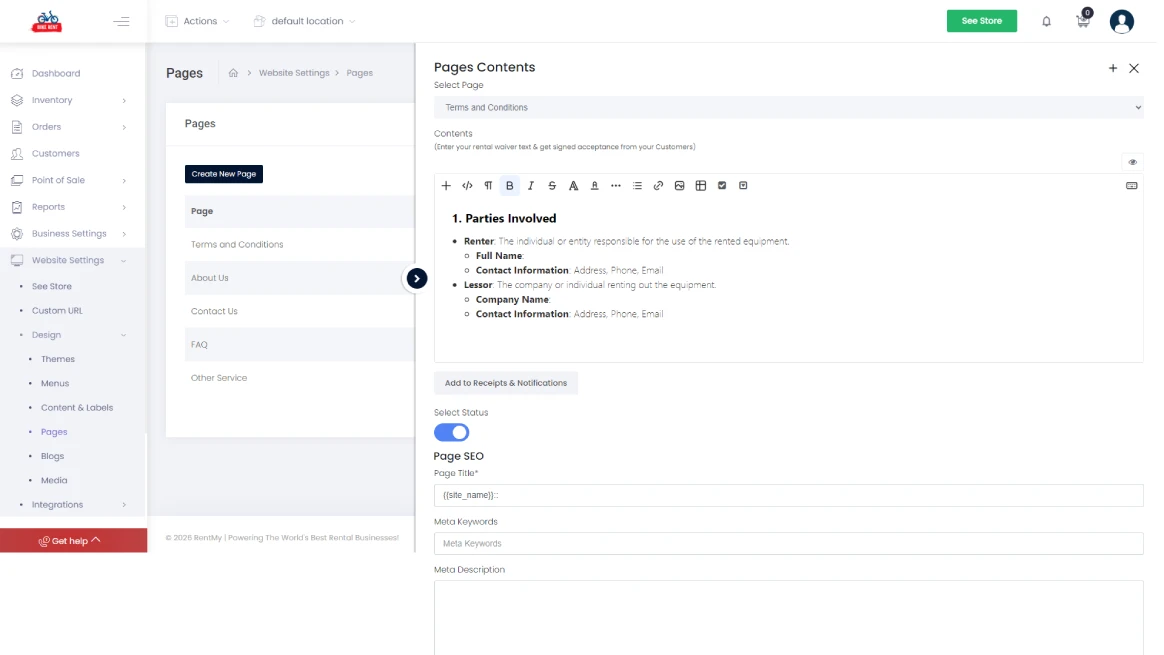
Before you can collect signatures, you need to input your waiver text. Navigate to Website Settings > Pages and select your “Terms and Conditions” page to edit the legal agreement guests will sign.
Link Waivers to Your Products
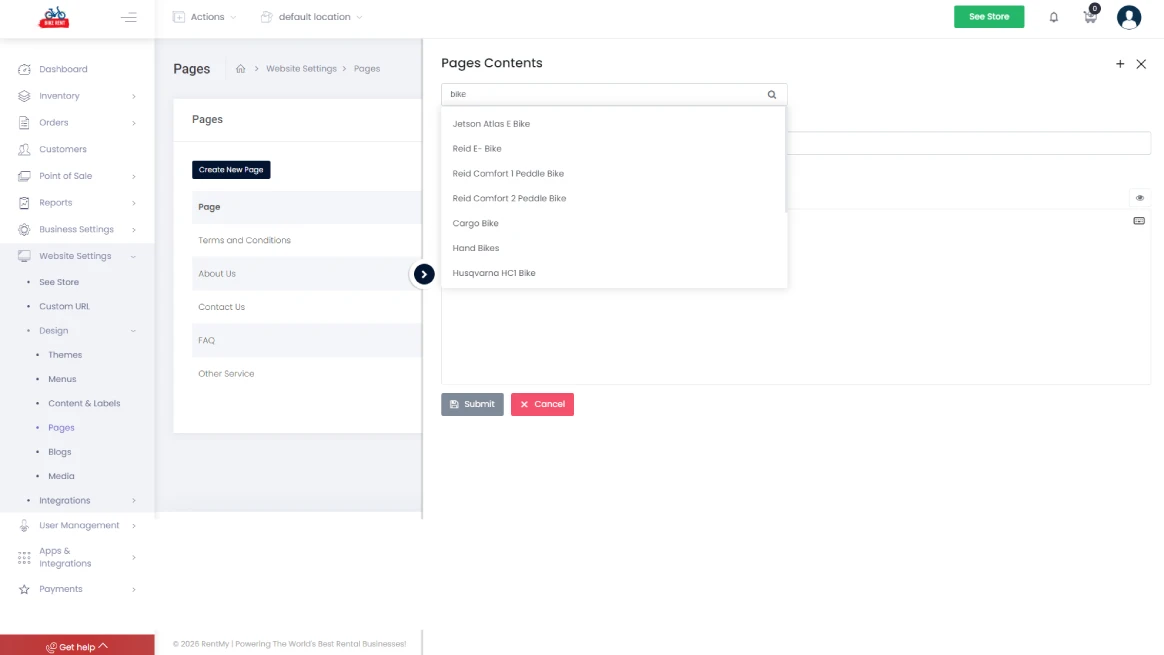
You can customize which products require a signed waiver. Use the search tool to select specific inventory items, such as an E-Bike, and link them to your rental terms.
The Primary Customer Signs at Checkout
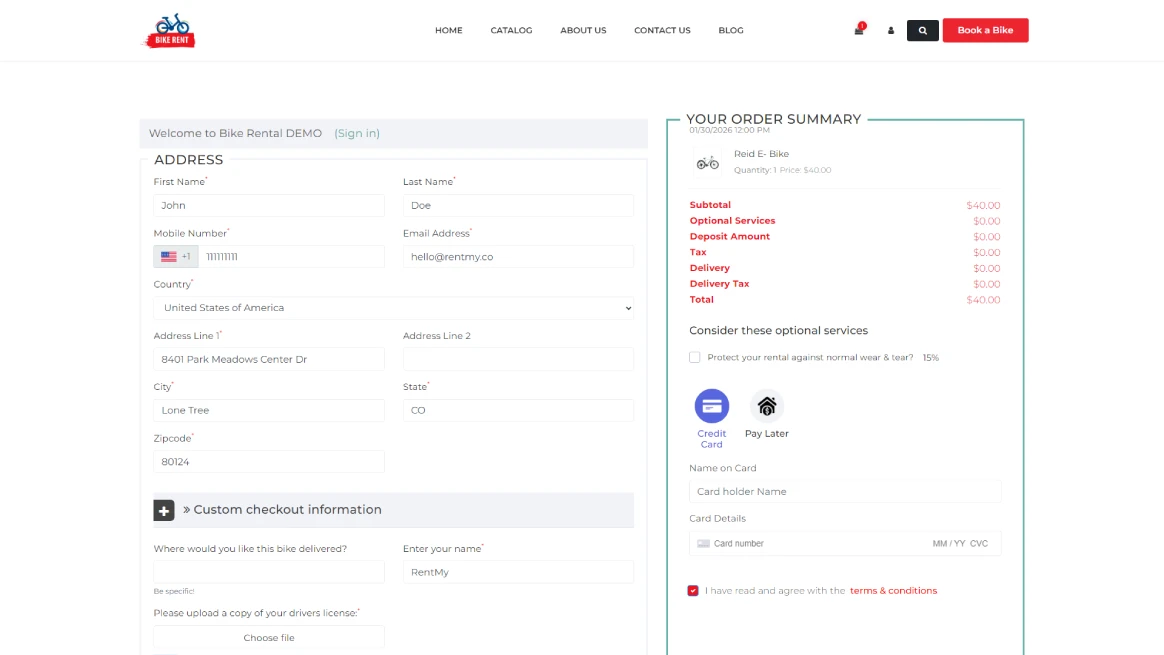
When the main customer places their order online, they will be prompted to enter their address and provide the first digital signature directly on the checkout page.
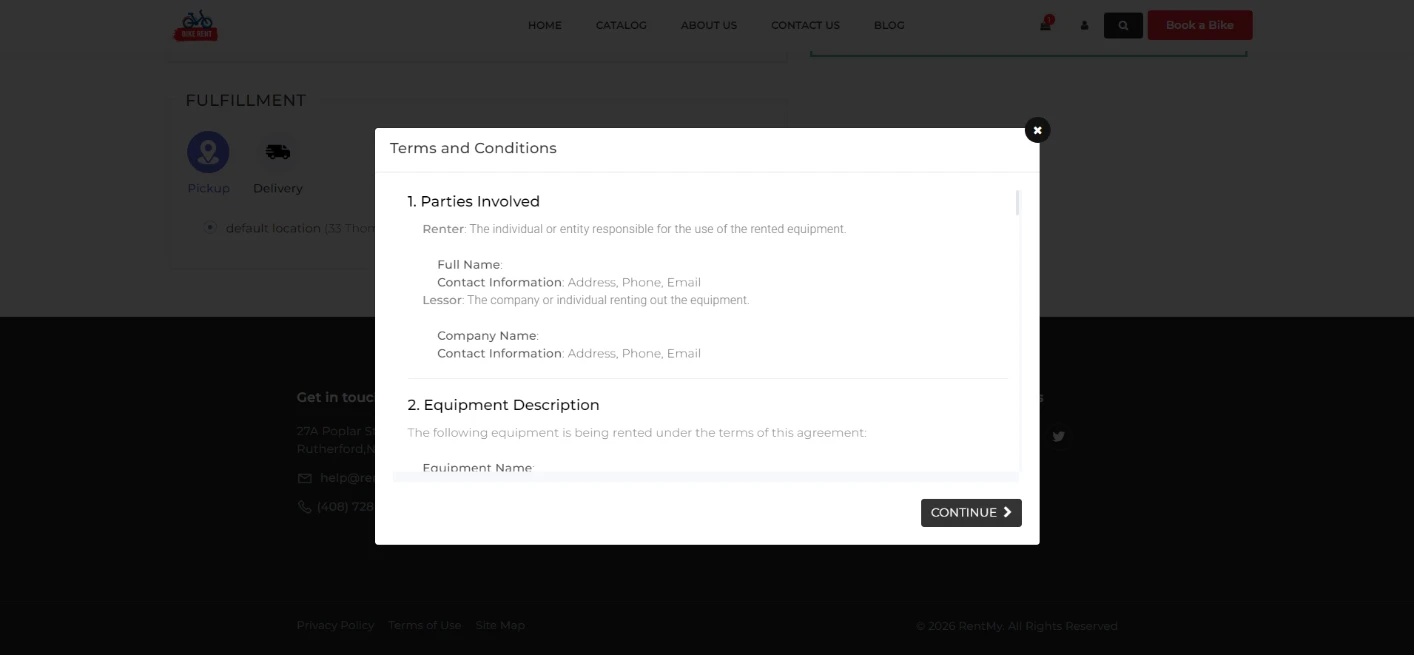
Reviewing Terms During Checkout
Customers can review the full “Terms and Conditions” in a pop-up window before agreeing and completing their rental.
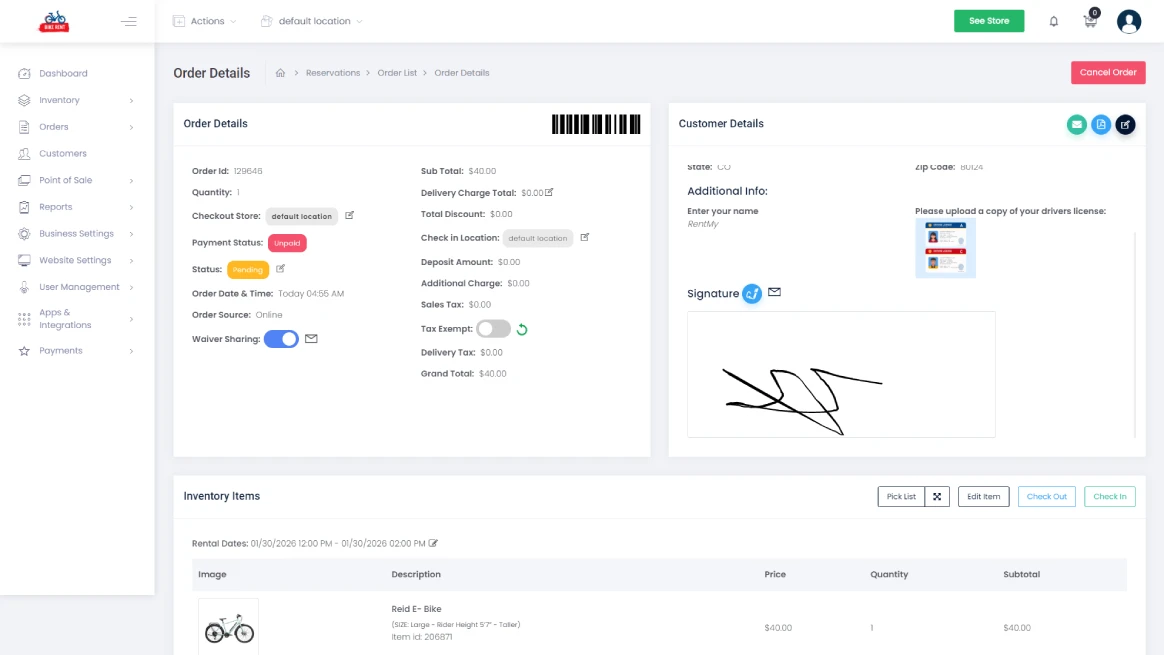
Managing Signatures in the Admin Panel
After an order is placed, you can view the status of the rental in your dashboard. You can view the primary signature and use the “Waiver Sharing” toggle to manage any additional guests.
Sharing the Waiver with Other Guests
To get signatures from others in the group, click the envelope icon to email the waiver. If the guests are with you, click the link icon so they can sign in on your device.
Guest Information Collection
When a guest clicks the link, they fill out a simple form with their name, email, and phone number to link their signature to their identity.
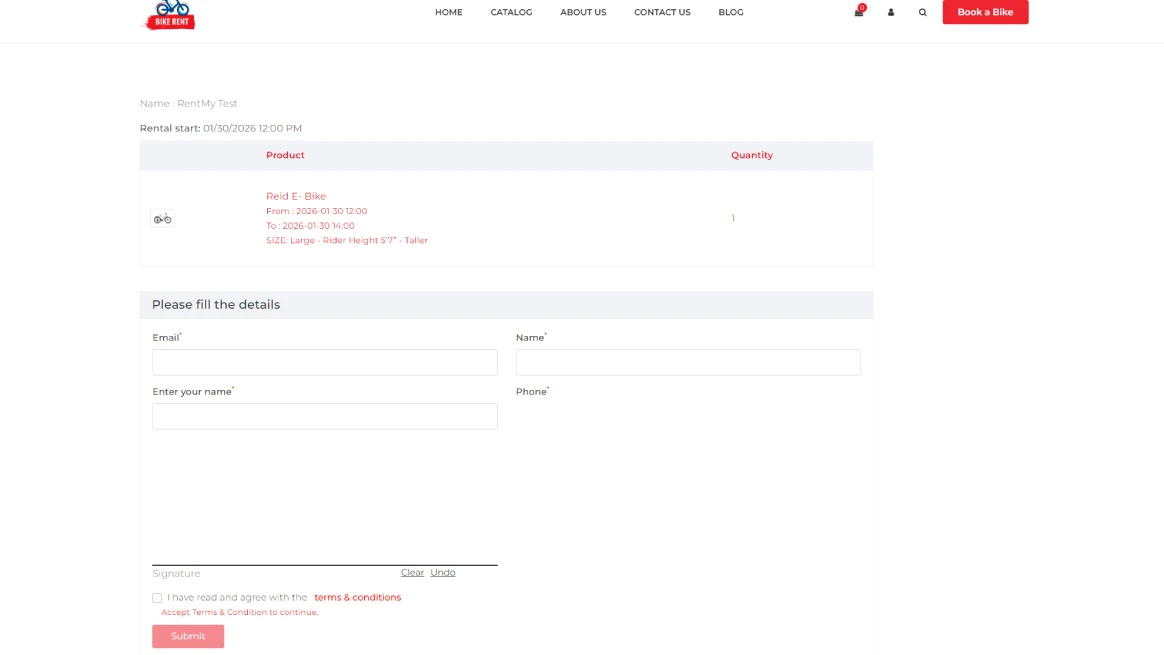
Final Submission
Once the guest has filled in their info and signed the screen, they simply hit Submit. The system automatically attaches the completed waiver to the main reservation for your records.
Conclusion
That covers everything you need to know about using an equipment rental liability waiver template. We’ve looked at why these templates are essential for making your rental agreements safer and clearer for everyone involved.
A strong waiver helps everyone understand the rules. It encourages renters to be responsible and helps your staff enforce them. This builds trust, avoids conflict, and keeps your business running smoothly.
Ready to ditch the manual work? RentMy digitizes your waivers and integrates them directly into your rental process. Cut down on paperwork and focus on expanding your business.
FAQs
A rental waiver is a legal agreement between a rental business and a customer. It states that the renter accepts responsibility for using the equipment and agrees not to hold the company liable for injuries or losses caused by normal use or misuse.
In most situations, yes. A rental waiver signed by an adult is usually enforceable if it is clear, fair, and properly written. It cannot protect a business from claims involving gross negligence, unsafe equipment, or intentional harm.
Yes. Even small items like cameras, tools, or sports gear can cause injury or damage. A waiver defines responsibility for proper use and sets replacement value. It also helps protect your business if a customer claims the equipment caused harm.
If a customer refuses to sign the waiver, you should not proceed with the rental. Providing equipment without legal protection increases exposure to liability claims. Refusing the rental is safer than risking costly disputes or legal action later.
No. A damage waiver covers repair or replacement costs if equipment is lost or broken. A liability waiver focuses on injuries or harm caused during equipment use. Both serve different roles and are often used together for better protection.