

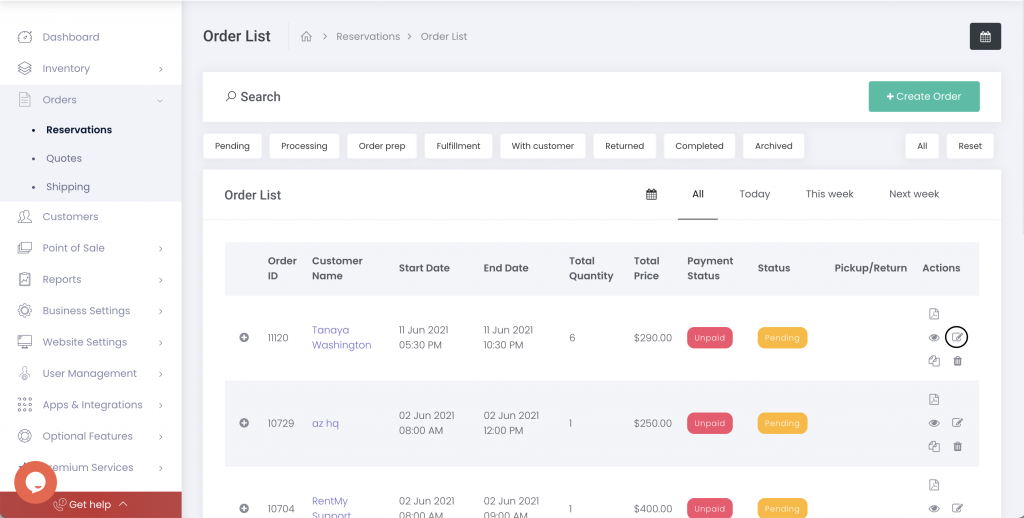
To extend the rental dates for an order, find the order in the Orders > Reservations menu.
Click the edit icon for the order.
Click the Items tab and then click the edit icon next to the rental dates field.
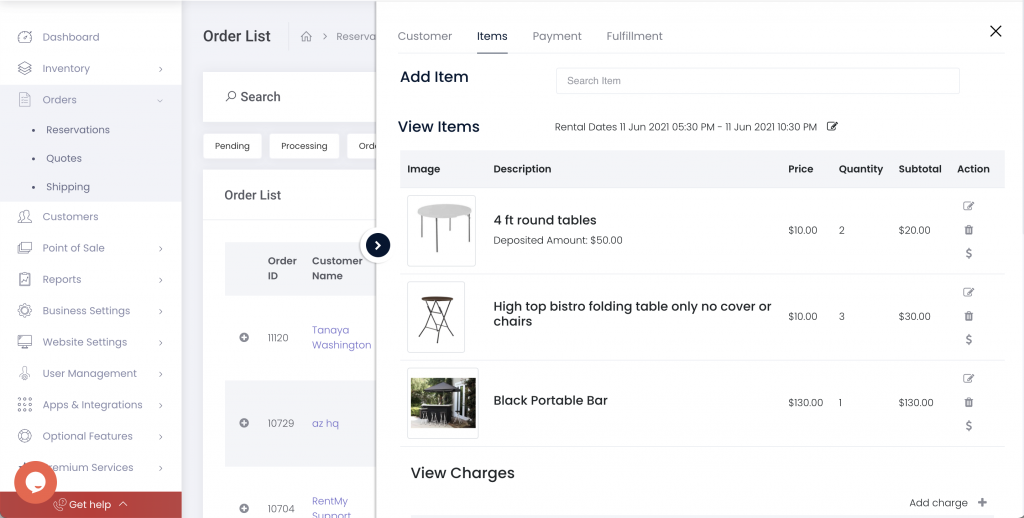
Once the dates are updated, you will have the option to apply additional charges resulting from the change.
Submit the changes to update the order.
Category:Order Quotes
Share: