
Jazz up your notification emails with clickable links, button and more.
First, select the template you would like to modify (or create a new template) by visiting Business Settings > Paperwork > Custom Email/SMS Notifications and Choose Manage Templates.
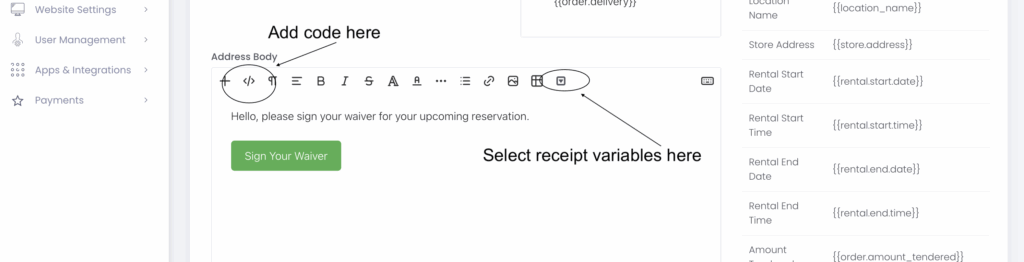
Next, edit the template to add a clickable button on the template by adding that event's variable in this html's a tag and by just renaming that button Here's an example of the code you can add by clicking the </> button in the template designer:
<p>
    <a href="{{order.waiver_sharing_link}}" style="display: inline-block; padding: 10px 20px; background-color: #4CAF50; color: white; text-align: center; text-decoration: none; border-radius: 5px; font-size: 16px;">Check Your Cart</a>
</p>
Category:Introduction To Rentmy
Share: