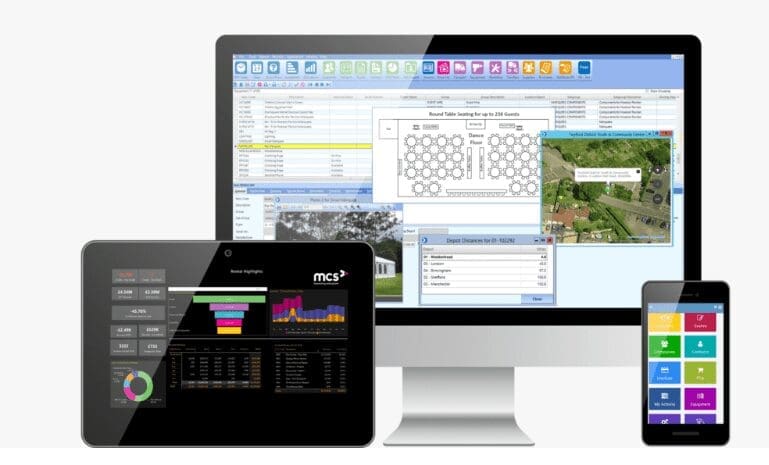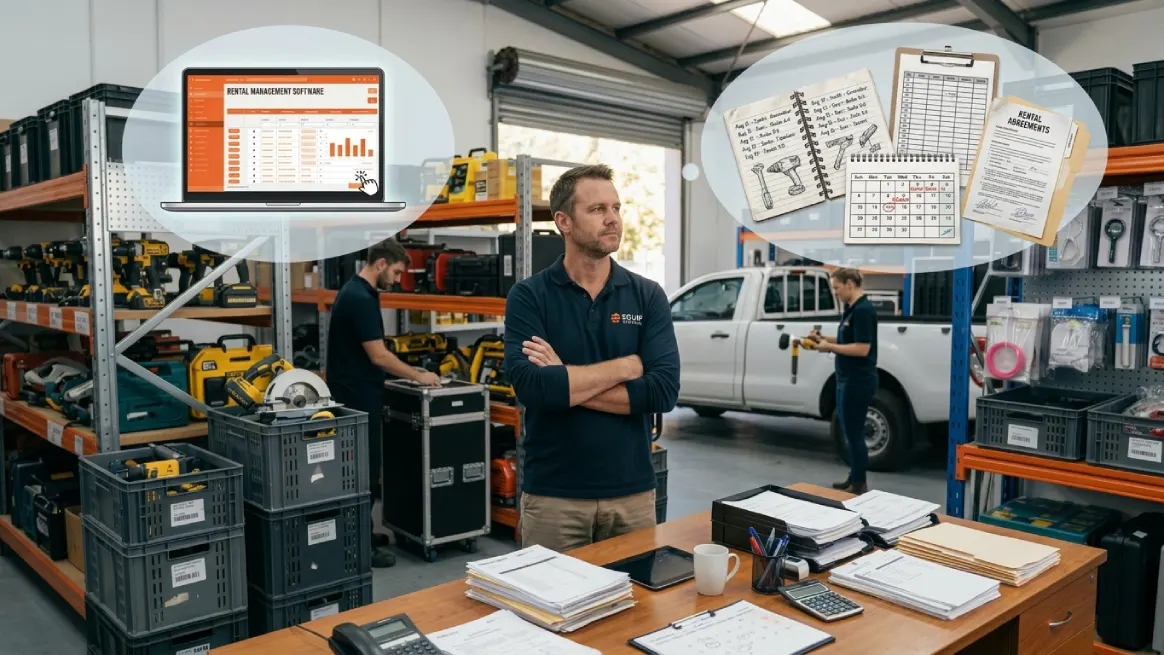
Is your rental calendar still easy to manage? Can you quickly confirm availability, track returns, and keep customer details organized? And when does rental software actually become worth considering?
You may be asking these questions because your business is changing. What once felt simple can become harder when bookings, customers, payments, and inventory demand more attention.
This guide breaks down when manual management still makes sense, when software can help, and which qualities matter when choosing a system. Let’s jump into the core discussion.
5 Reasons to Wait Before Investing in Rental Software
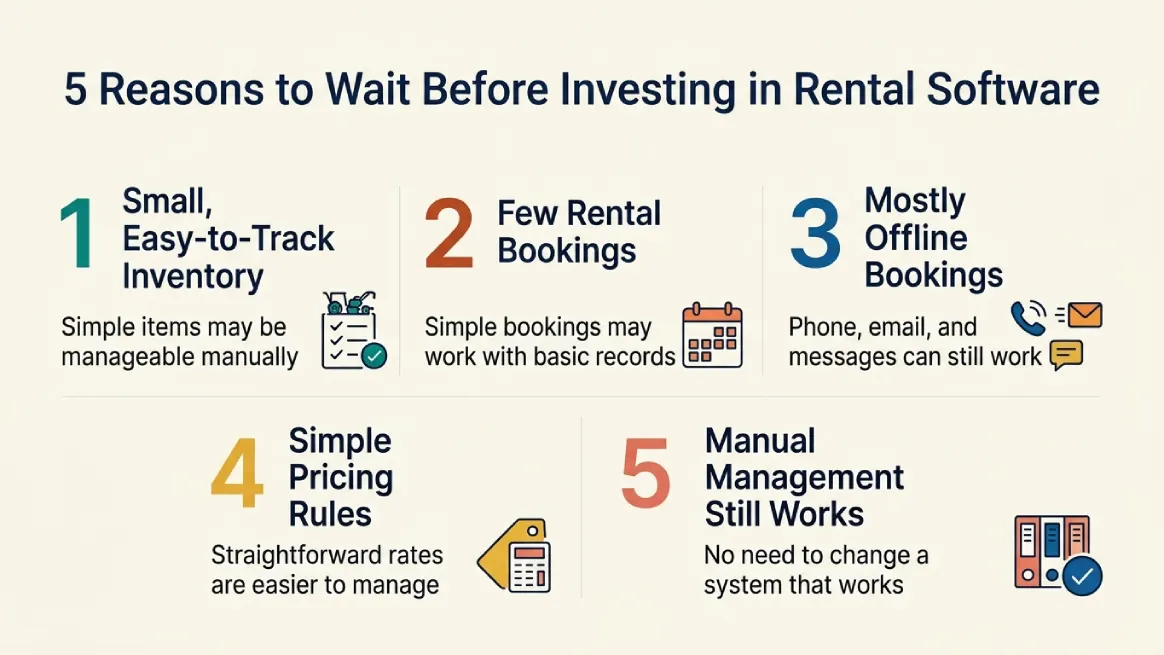
If your current process is simple and reliable, you may not need rental software yet. Consider how well your operation handles its current workload before investing.
Your Rental Inventory Is Still Small and Easy to Track
A small inventory does not automatically mean you need rental software. If you manage a few simple items, a spreadsheet or basic list may still work well.
What matters is complexity, not just item count. Specialized equipment, unique IDs, accessories, maintenance, multiple locations, or different rental periods can make tracking harder.
Returns, inspections, repairs, and availability can add even more work. A larger collection of identical items may actually be easier to manage than fewer specialized assets.
If you can quickly see where each item is and whether it is available, your current system may be enough. There is no need to change it simply because software exists.
The practical test is visibility. If your records stay accurate and easy to maintain, waiting can be reasonable. Consider better tools when tracking takes more time or causes mistakes.
You Only Handle a Few Rental Bookings
If you handle only a few rentals, you may not need rental software yet. A calendar, customer records, and simple tracking can work well when bookings are straightforward.
Still, booking volume is only part of the picture. A few complex orders can take time when they involve multiple items, overlapping dates, deliveries, deposits, changes, cancellations, or special return arrangements.
Seasonality matters too. Quiet months may feel easy, while holidays, weekends, or peak seasons can suddenly increase your workload. Those busy periods may also be when customers expect quick answers and want to get more bookings.
Watch how your process holds up when demand rises. If you can manage availability, customer details, booking changes, and returns without confusion, manual management may still suit you.
When busy periods create repeated administrative pressure, it may be time to rethink your current system.
Most Customers Still Book Offline
Phone calls, walk-ins, emails, and direct messages can work well for smaller rental businesses. They also suit rentals that need personal advice, approval, or detailed delivery arrangements.
If customers are happy with this process and you respond quickly, there may be little reason to change. Your current approach can remain practical, especially when you can manage many rentals without confusion.
Still, watch for changing expectations. Customers may start asking to check availability after hours, reserve items online, or get quick answers without contacting your team.
Repeated availability questions can also create unnecessary work. Missed inquiries are another sign, especially when customers reach out while nobody is available to respond.
If offline booking still keeps customers happy and your team stays responsive, you can continue with it. Consider online options when convenience and response times become harder to maintain.
Your Pricing and Rental Rules Are Simple
Simple pricing can make manual management perfectly workable. Straightforward daily, weekly, or fixed rates are often easy to calculate and explain without specialized software.
The workload can grow as more rules enter the picture. Deposits, late fees, delivery charges, add-ons, discounts, packages, or bundle pricing can create extra calculations.
That complexity does not automatically mean you need rental software. Several pricing rules can still work manually when your process stays clear, consistent, and easy to maintain.
The real test is whether pricing takes too much time or causes corrections. If your team keeps recalculating quotes or checking multiple records, your process may be getting harder to manage.
Try your system with both typical and unusual orders. If prices remain quick and accurate, waiting may be reasonable. Software becomes more useful when pricing complexity creates regular administrative pressure.
Manual Management Isn't Holding Back Your Business
Sometimes the strongest reason to wait is simple: your current system works. You can quickly check availability, organize bookings, track inventory, manage returns, and find customer information without digging through multiple records.
Payments should also stay easy to monitor. If customers receive timely responses, your team can focus on equipment care, customer service, sales, and other important work.
Ask yourself whether administration is becoming a barrier. If daily tasks remain manageable and do not interfere with service or growth, changing systems may solve a problem you do not actually have.
If your manual process remains reliable, there is no need to adopt rental software simply because others use it. A clear operational need is the stronger reason to consider it.
5 Signs It's Time to Invest in Rental Software
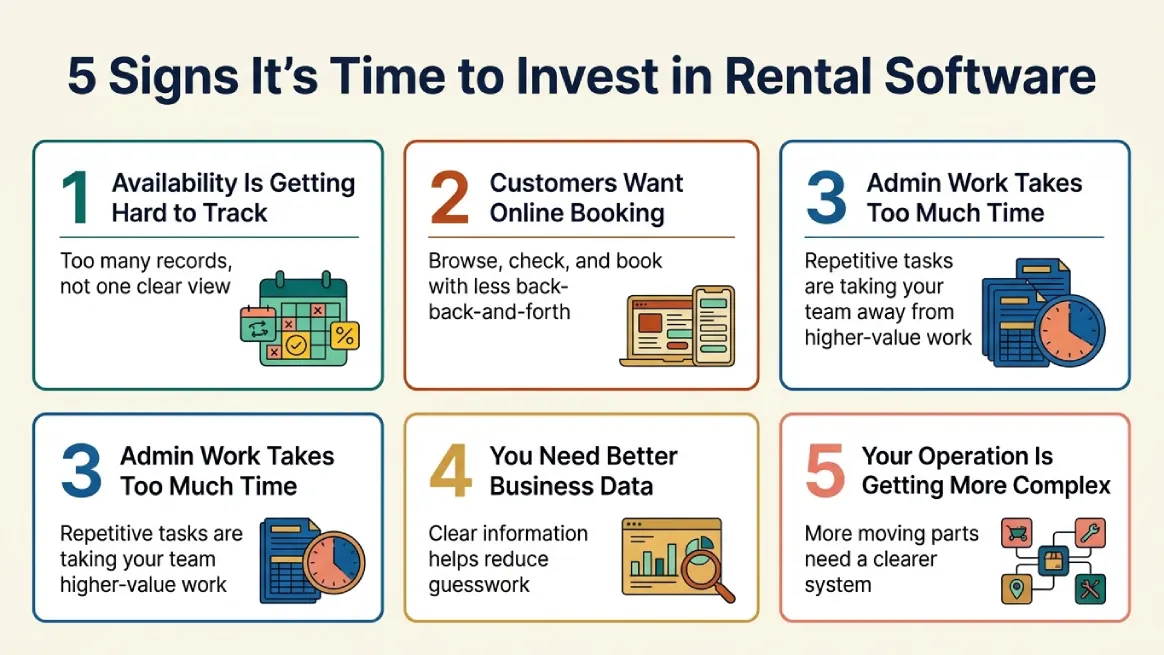
Manual systems can work well until they start slowing you down. Look for signs that your current process is causing delays, extra work, availability issues, or customer service problems.
It's Getting Hard to Know What's Available
Knowing what you own is only the start. You also need to see what is available, reserved, rented, returned, being prepared, or temporarily unavailable.
That gets harder when information is spread across spreadsheets, calendars, paper records, emails, and staff messages. Someone may update a booking while another person still uses an older record.
You also need to account for items awaiting inspection, maintenance, or return. A central system can give your team one place to check reservations, availability, and rental status.
It will not replace accurate updates, but it can reduce the need to search through disconnected records. Everyone can work from the same information and spot scheduling conflicts earlier.
That clearer view can also help you handle double booking before it becomes a recurring issue. If availability is becoming difficult to track, your current system may be reaching its limits.
Customers Want to Book Online
Customers may be happy calling or visiting when booking is simple. But as online habits grow, they may expect to research options, check availability, and start reservations from anywhere.
A good online rental experience can let customers browse inventory, read details, choose dates, submit bookings, and complete supported payment steps without unnecessary back-and-forth.
That does not mean every rental should become fully self-service. Complex equipment, custom pricing, delivery needs, site conditions, or approval steps may still require staff involvement.
The goal is convenience without losing personal service. Your website can help customers explore your inventory while giving your team control over more complicated requests.
If customers increasingly want online rentals, it may be worth considering a system that makes browsing and booking easier.
Repetitive Admin Work Is Taking Too Much Time
Every rental creates behind-the-scenes work. You may check availability, create orders, enter customer details, send booking information, follow up, track returns, manage payments, and update inventory.
This work can become tiring when you repeat the same tasks across different tools. You might use a calendar for bookings, a spreadsheet for inventory, and messages for customer details. Keeping everything updated takes time.
Rental software can bring many of these tasks into one workflow. Depending on the system, it may support reservations, confirmations, reminders, invoices, payment updates, documents, return prompts, inventory changes, and reports.
You will still need to inspect equipment, solve problems, and handle unusual requests. But if routine admin takes time away from customers, sales, or equipment care, a system that can simplify your business may be worth considering.
You Need Better Information to Make Business Decisions
Once routine work is under control, another question matters: do you have enough reliable information to make good decisions?
As your rental business grows, you may want clearer answers about demand, customers, revenue, and inventory. Which items are rented most? Which sit unused? When does demand peak? Which products bring the most rental activity?
Detailed reporting can help you spot these patterns. It can organize information around products, orders, customers, locations, revenue, and returns. Industry resources can also provide useful market information for rental businesses.
Data quality matters too. Missing returns or outdated bookings can make reports misleading. You need information you can trust.
You do not need every report your software offers. Begin with the answers your business needs. When the right data is easy to access, you can analyze your rental business with more confidence and less speculation.
Your Rental Business Is Becoming More Complex
More customers or inventory can add more moving parts. The important question is whether your current process still keeps everything clear and organized.
Complexity can appear earlier than you expect. More bookings, employees, rental categories, delivery schedules, or rental rules can create extra coordination. Recurring rentals, multiple locations, packages, add-ons, and maintenance add even more.
A small rental business can have complicated operations. A larger one may still run smoothly with simple, predictable processes. Business size alone does not tell you when software makes sense.
The stronger signal is whether your team can easily track inventory, bookings, customers, payments, deliveries, and returns. If people regularly check several sources for answers, your process may be harder to manage.
As you evaluate software, keep in mind the features to consider when choosing a rental management solution, and select tools that solve real operational problems. The aim is smoother, more dependable operations.
What to Look for When Comparing Rental Software
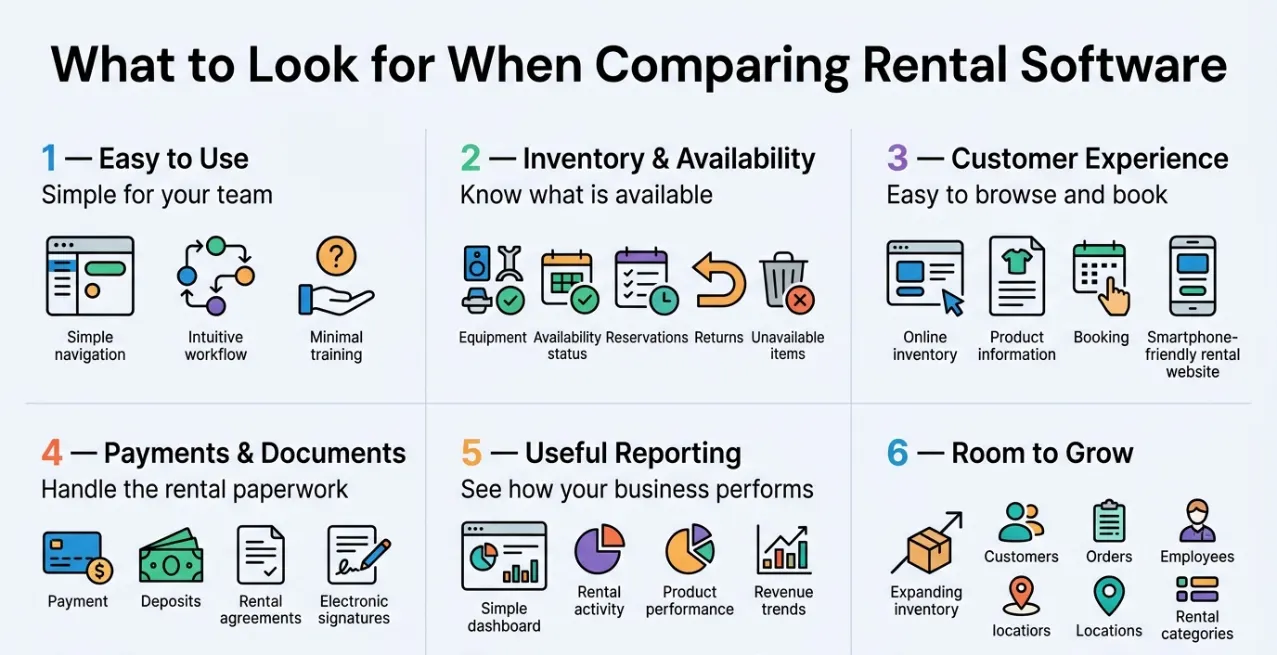
Once you decide to compare rental software, look beyond the feature list. Focus on whether it makes daily work easier and keeps your rental operation organized.
Easy for Your Team to Learn and Use
Your rental software should make a busy day feel easier, not give your team another system to struggle with. Clear navigation and simple workflows can make everyday tasks easier to learn and repeat.
Do not judge a platform by its appearance alone. Let your team try real tasks, such as creating reservations, checking availability, updating orders, finding customers, and processing returns.
NIST recommends testing usability with representative users and realistic tasks. You can look at whether tasks are completed successfully, how long they take, how often errors occur, and how satisfied users feel.
Training is still important, but your team should not need constant help with routine work. A hands-on trial can reveal issues that a sales demo may hide.
Choose software that feels clear and practical for the people who will use it every day.
Strong Inventory and Availability Management
Rental inventory is different from ordinary product tracking. An item may be reserved today, rented tomorrow, returned later, and still unavailable until it passes inspection.
Your system should make these changes easy to see. You should quickly know what is available, what is committed, what needs attention, and what cannot be rented yet.
A returned machine, for example, may need inspection before it goes back into circulation. Asset tracking can also matter when individual units have different histories, while quantity-based tracking may suit bulk items better.
Think about your actual operation, too. Multiple locations, transfers, accessories, packages, preparation time, and maintenance holds can all affect availability.
When comparing platforms, ask vendors to demonstrate common changes such as cancellations, returns, and maintenance holds. Your team should be able to see what can be rented, where it is, and whether it is ready.
A Professional Customer-Facing Rental Experience
Your rental website should feel just as easy to use as the rest of your business. Customers need clear product information, rental terms, pricing, availability, and a straightforward way to move forward.
Mobile access matters, too. During the second quarter of 2026, mobile devices other than tablets generated 51.48% of all website visits worldwide. That makes it worth testing your rental experience on phones, not just desktop screens.
Consider how different rentals should be booked. Simple equipment may suit self-service reservations, while larger or more complex rentals may need quotes, approval, delivery planning, or extra customer details.
Try the process yourself. Can a customer find an item, choose dates, understand the charges, submit a request, and correct a mistake without getting stuck?
A polished design helps, but a clear and practical booking journey matters more.
Payments and Rental Documents
Once a customer chooses a rental, payment and paperwork should fit naturally into the same process. Your system may need to handle deposits, invoices, receipts, refunds, agreements, waivers, and electronic signatures.
Your choice should fit the way your business runs. If you accept cards online or use POS payments for your rental business, ask how transactions, payment status, and customer records connect.
Security deserves attention, too. Ask whether card details are stored, how payments are processed, and which responsibilities remain with your business. Requirements can vary depending on the payment provider and setup.
Rental documents should also stay easy to find. Signed agreements and waivers need to connect with the correct order, while equipment-condition records may need similar links.
Electronic signatures can simplify paperwork, but legal requirements vary by transaction and location. Check the rules that apply to your business before relying on them.
Look beyond individual features and test the complete payment and documentation workflow.
Useful Reporting
Reliable reporting should help you understand your rental business without making you dig through endless numbers. Look for information that answers practical questions about inventory, customers, revenue, and daily activity.
You might want to know which products are rented most often, which sit unused, when demand increases, or which categories contribute the most revenue. Customer patterns, such as repeat rentals, cancellations, and late returns, can add useful context.
When comparing rental features, do not judge reporting by attractive dashboards alone. Check whether you can filter dates, compare periods, export information, and understand how metrics such as utilization are calculated.
Data quality matters just as much. Missing returns or inconsistent records can make polished reports misleading.
Choose reporting that helps you make informed decisions about inventory, customer service, operations, and future spending. A smaller set of reliable insights can be far more useful than dozens of impressive-looking charts.
Room to Grow
Good software should work for your business today while leaving enough room for realistic changes tomorrow. That does not mean paying for the biggest platform or features you may never use.
Think about what could actually change. You might add inventory, handle more orders, hire employees, open another location, or introduce new rental categories.
Those changes can affect permissions, inventory organization, transfers, and location visibility. Before choosing a system, check limits on users, orders, inventory, and locations. Review pricing, integrations, data exports, backups, and what happens to your data if you leave.
If you are weighing whether to build or buy rental software, consider your budget, timeline, flexibility needs, and technical resources.
Choose something that can support your realistic plans without paying for a future that may never happen. The right amount of room will depend on where your rental business is actually heading.
Bring Your Rental Business Into One Place

Separate tools can work well when your rental operation is simple. But as things pick up, keeping information aligned across different systems can become a daily headache.
Your inventory may live in one place, bookings in another, and customer details, payments, website updates, and reports somewhere else. Every change means another record to check.
A connected system can bring these moving parts together, giving you a clearer view of bookings, inventory, customers, payments, and availability.
This is where a complete platform such as RentMy can be useful. It brings inventory, online bookings, and customer management together, helping you spend less time chasing information and more time running your business.
You can also use real-time reporting to understand rental trends, income, and inventory needs. Whether you have one location or several, having these areas connected can make everyday management feel much simpler.
Make Your Rental Business Easier to Manage
Replace scattered rental information with one clear view of the work that keeps your business moving.
- Free 14-day trial
- No credit card required
Conclusion
And that brings us to the end. From manual spreadsheets to connected rental software, we’ve looked at the situations that can make either approach practical for different rental businesses.
A growing business does not automatically need new technology. What matters is whether your current process remains clear, accurate, reliable, and comfortable for your team and customers.
If something keeps slowing you down, do not ignore it. Write down those recurring problems and use them as your starting point. The right solution should address real needs, not create new ones.
FAQs
How Do I Know If My Rental Business Has Outgrown Manual Management?
Look beyond inventory size. If you regularly struggle with availability, duplicate work, customer responses, returns, or scattered records, your current process may be ready for a more connected approach.
Can I Use Rental Software Alongside My Existing Tools?
Yes, depending on the platform. You may be able to keep useful tools while connecting them with your rental system. Check integrations, data imports, and exports before making the switch.
How Should I Prepare Before Switching to Rental Software?
Start by mapping your current workflows and cleaning your inventory and customer records. Identify repetitive tasks, common errors, and essential processes you want the new system to handle.
How Long Does It Take to Set Up Rental Software?
There is no fixed timeline. Setup can depend on your inventory, data migration, integrations, customization, and training needs. Ask each provider to explain its setup process and expected timeline.
What Should I Ask During a Rental Software Demo?
Bring your real workflows to the demo. Ask the provider to show booking changes, availability checks, returns, unavailable equipment, customer records, and the reports you actually expect to use.