Explore the Content
- Download Free Equipment Sign-Out Sheet Templates
- Free Equipment Sign-Out Sheet Generator
- What Is an Equipment Sign-Out Sheet?
- Why Businesses Need an Equipment Sign-Out Sheet
- What Should an Equipment Sign-Out Sheet Include?
- How an Equipment Sign-In and Out Sheet Works
- Company Equipment Sign-Out Sheet Best Practices
- Equipment Sign-Out Sheet Examples
- How to Create an Equipment Sign-Out Sheet (Step-by-Step)
- Excel vs. Word vs. PDF vs. Rental Software
- When to Upgrade from a Spreadsheet
- Conclusion
- Frequently Asked Questions
Need a better way to record who borrowed your equipment and when it's due back? Curious which equipment sign-out sheet format fits your workflow or how to create one from scratch? This guide has the answers you're looking for.
Equipment inventories are growing fast. The rental industry is projected to reach USD 2,827.11 billion by 2035. Businesses that build reliable tracking systems now will be ready to handle that growth.
Whether you need a printable template, an editable spreadsheet, or guidance on choosing equipment management software, you'll find it all here. Let's explore the tools and best practices that make equipment tracking easier and more reliable.
Download Free Equipment Sign-Out Sheet Templates

Tracking company equipment doesn't need to be complicated. A simple template helps you log checkouts, boost accountability, and reduce lost assets. Whether you prefer Excel, editable docs, or printable forms, there's an option that fits your workflow. Choose the option that fits your needs and put it to work today.
Equipment Sign-Out Sheet Template (Excel)
If you're looking for a flexible and familiar starting point, Excel is a great option! An equipment sign out sheet excel template works especially well for small to medium-sized inventories where employees regularly borrow and return equipment.
You can sort records by employee, asset ID, department, or checkout date, which makes it easy to find information when you need it. Unlike paper forms, Excel lets you customize columns, add dropdown lists, and use formulas to simplify repetitive tasks.
For example, you can automatically highlight overdue equipment or calculate how long an item has been checked out, helping you catch potential issues early.
Most templates come ready with fields for equipment details, asset IDs, borrower information, checkout and return dates, condition, and notes. And as your needs grow, you can simply add more columns without redesigning the whole thing.
Equipment Sign-Out Sheet Template (Word)
If your business needs something more polished than a spreadsheet, a Word template might be just what you're looking for.
An equipment sign out sheet word template gives you the flexibility to customize everything. You can add your company logo, adjust field names, include equipment policies, or insert signature sections, all without disrupting the overall layout.
This makes it a great fit for employee equipment assignments, contractor checkouts, warehouses, and job sites where printed forms are still part of the daily routine.
Employees can fill them out quickly, and you can trust that every checkout captures the same essential details.
Most Word templates cover the basics well: equipment details, borrower information, checkout and return dates, condition reports, approval signatures, and space for notes. It's a clean, standardized format that's easy to update whenever your processes change.
If you need a professional, print-ready template that's easy to edit, a Word template is a great place to start.
Equipment Sign-Out Sheet PDF
If consistency matters to you, a PDF template might be exactly what you need. As formatting stays the same on every device and printer, there's no risk of accidental edits. This makes it a great choice for construction sites, schools, warehouses, and field teams.
An equipment sign-out pdf sheet typically includes everything you'd expect: equipment identification, borrower details, checkout and return dates, condition checklists, signature fields, and notes.
Once filled out, you can file them as paper records or scan them for easy digital storage.
Yes, PDFs are less flexible than editable documents, but that's kind of the point. If you want professional, printable forms that look the same every single time, a PDF delivers that reliability without any extra effort on your part.
Free Equipment Sign-Out Sheet Generator
What Is an Equipment Sign-Out Sheet?
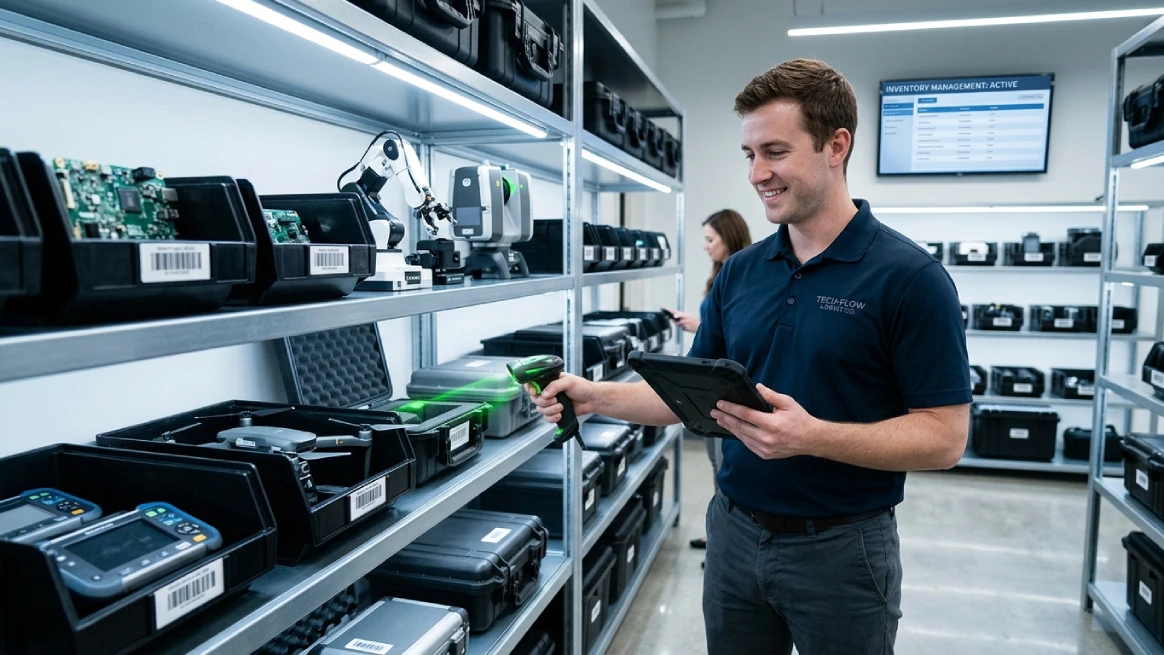
An equipment sign-out sheet is a document or digital record that tracks who borrows equipment, when it is checked out and returned, and its condition before and after use. It helps improve accountability, reduce lost equipment, and maintain accurate inventory records.
A sign-out sheet captures important details: equipment name, asset ID, serial number, borrower info, checkout and return dates, condition, and signatures. Together, these details build a full history of every checkout. This makes it easy to track equipment and know exactly where everything is at all times.
An equipment sign-out sheet helps you keep track of who's using what and when. It reduces misplaced items, discourages unauthorized use, and keeps your records tidy for audits or maintenance planning.
These sheets work across a wide range of industries. Whether you're in construction, camera rentals, healthcare, IT, or education, if your team shares tools or equipment, this simple form can make a real difference.
Equipment Sign-Out Sheet vs. Equipment Checkout Form vs. Equipment Log
Each document serves a different purpose. You can use a sign-out sheet for quick checkouts, a checkout form when agreements are needed, and an equipment log to track an asset's full history. Choose the one that best fits your needs.
| Feature | Equipment Sign Out Sheet | Equipment Checkout Form | Equipment Log |
|---|---|---|---|
| Primary purpose | Track routine equipment checkouts | Document detailed checkout agreements | Maintain a complete equipment history |
| Typical users | Employees, departments, internal teams | Customers, contractors, employees | Managers, inventory administrators |
| Equipment condition | Basic condition before and after use | Detailed inspection and damage documentation | May include maintenance and condition history |
| Signatures | Usually required | Almost always required | Not always required |
| Return tracking | Yes | Yes | Yes |
| Terms and conditions | Rarely included | Frequently included | No |
| Best for | Internal equipment management | Rentals or high-value assets | Long-term inventory records |
Who Should Use an Equipment Sign-Out Sheet?
An equipment sign-out sheet works for almost any organization that shares, lends, or assigns equipment. It boosts accountability, keeps records accurate, and helps prevent assets from going missing or getting damaged.
Construction companies track tools and safety gear across job sites. Rental businesses document checkouts and returns, while camera rental companies monitor valuable lenses and accessories issued to customers or production crews.
Event rental businesses stay organized by tracking tables, tents, and audiovisual gear before and after every booking.
Schools and IT departments manage laptops, tablets, and projectors shared among students and employees.
Healthcare organizations, manufacturers, and government agencies also rely on sign-out sheets to manage medical devices, testing equipment, and operational tools with confidence.
No matter your industry, a standardized sign-out process gives you better visibility over your equipment. It's a simple yet effective form of asset tracking that keeps everything running smoothly.
Why Businesses Need an Equipment Sign-Out Sheet
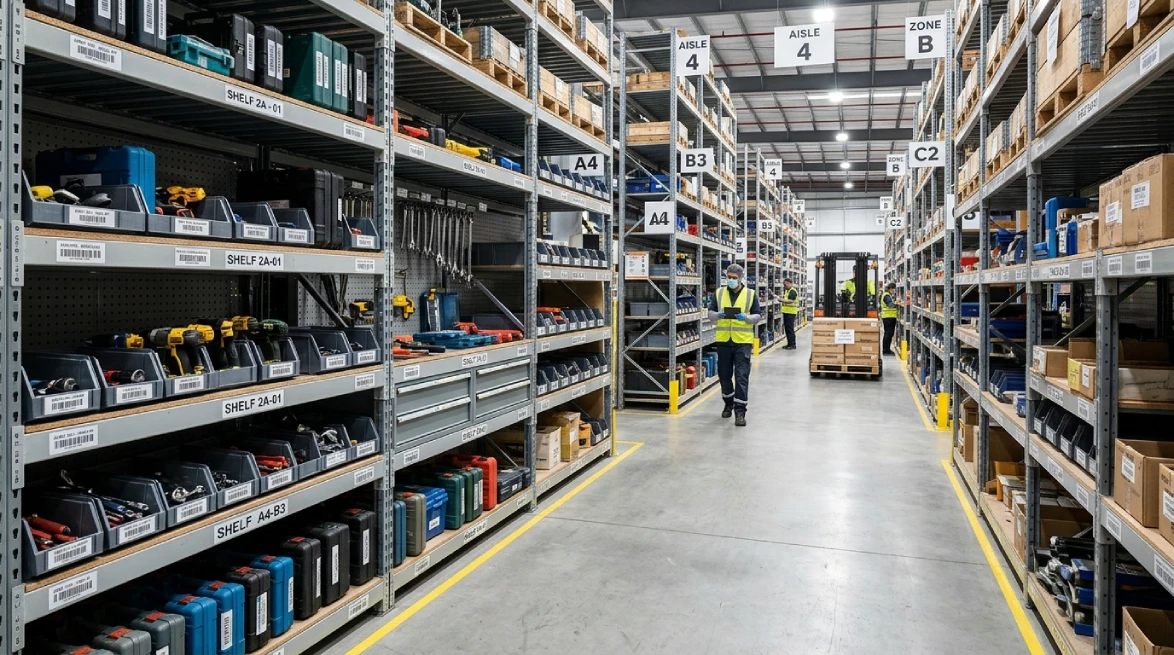
As your equipment inventory grows, staying organized gets trickier. A simple sign-out process helps your business reduce costly mistakes. It also keeps daily operations running smoothly.
An equipment sign-out sheet does more than log borrowed items. It builds accountability, improves inventory control, and gives managers a clear picture of every asset.
When equipment moves between employees and job sites, things can go missing fast. A sign-out sheet creates a paper trail. This makes it easier to track down missing items before they become permanent losses.
Linking each checkout to an employee makes responsibility clear. Borrowers know they're accountable for returning items on time and in good condition. This natural sense of ownership encourages better habits.
Return dates make overdue items easy to spot. Managers can act fast and keep inventory available. Digital tools take it further by sending automatic reminders to borrowers.
Logging equipment condition before and after use protects everyone. Photos and notes create a clear record. This cuts down on disputes and helps with insurance or compliance needs.
What Should an Equipment Sign-Out Sheet Include?

A sign-out sheet is only useful if it captures the right details. The right fields turn a simple form into a reliable record for every transaction.
At minimum, include the equipment name, asset ID, and serial number. Add the borrower's name, department, checkout date, and expected return date to keep things organized and easy to follow.
Don't forget condition notes, signatures, and manager approval when needed. These details help track accountability and resolve disputes quickly.
You'll also want space for notes on accessories, missing parts, or special instructions. It gives your team a shared understanding and prevents confusion later.
Using the same information for every transaction creates cleaner records and better business insights.
Over time, this data helps with maintenance planning, inventory management, and purchasing as your equipment inventory grows.
| Field | Purpose |
|---|---|
| Equipment Name | Identifies the equipment being checked out |
| Asset ID | Unique internal asset number |
| Serial Number | Manufacturer identification |
| Employee Name | Person responsible for the equipment |
| Department | Tracks equipment by department |
| Checkout Date | Records when equipment leaves inventory |
| Return Date | Tracks expected or actual return |
| Condition Before | Documents equipment condition before checkout |
| Condition After | Records condition upon return |
| Signature | Confirms employee responsibility |
| Manager Approval | Authorizes equipment checkout |
| Notes | Additional comments, accessories, or damage details |
How an Equipment Sign-In and Out Sheet Works
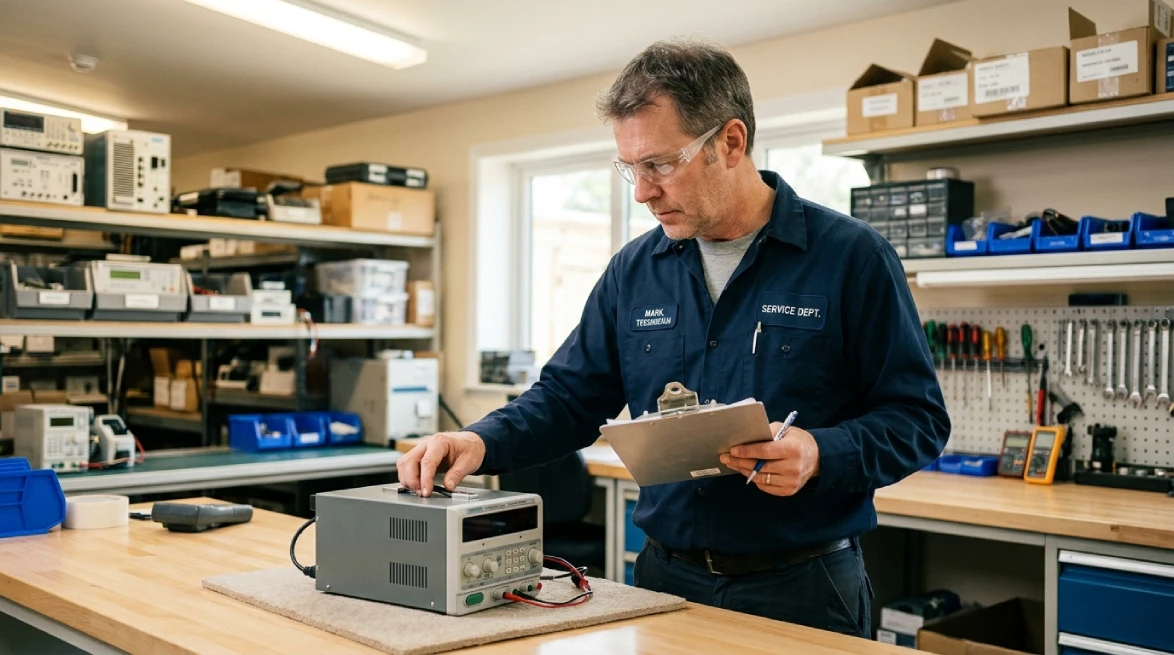
When equipment leaves storage, record the details, borrower information, checkout date, and expected return. Inspect the item together, confirm its condition, and have the borrower sign to acknowledge responsibility. Simple and clear!
During use, the borrower handles the equipment safely. Record and report any problems as soon as they're discovered. If the equipment changes hands, update the record to keep everything accurate and current.
In return, log the date and verify everything came back. Check for missing accessories or late returns.
Good return records improve availability and help you spot recurring issues quickly.
Inspect every item before returning it to inventory. Compare its condition to checkout notes. For high-value equipment, photos add extra protection and make resolving any disputes much easier.
Finally, return the equipment to inventory or schedule maintenance. Keeping maintenance records alongside checkout history gives you a full picture of each asset.
As time goes on, you'll make better maintenance decisions and maximize equipment lifespan.
Company Equipment Sign-Out Sheet Best Practices
A sign-out sheet works best when everyone follows the same steps every time. Consistent habits improve accuracy, reduce confusion, and make equipment management much smoother as your team grows.
Assign each piece of equipment to one person, not a department. A specific name makes it easier to track overdue returns and investigate any damage.
Digital signatures make checkouts faster and keep records tidy. Your employees can sign from any device and each signature is automatically timestamped. So, finding records later is quick and easy.
Not all equipment needs the same approval process. Everyday tools may need a quick sign-out, while expensive items often require manager authorization before leaving storage.
Give every asset a unique ID using barcodes, QR codes, or serial numbers. This makes it easy to tell similar items apart and speeds up searches, audits, and maintenance.
Run the same inspection checklist before every checkout and after every return. Consistent reviews catch damage early, support maintenance planning, and keep your equipment in great working condition longer.
Equipment Sign-Out Sheet Examples
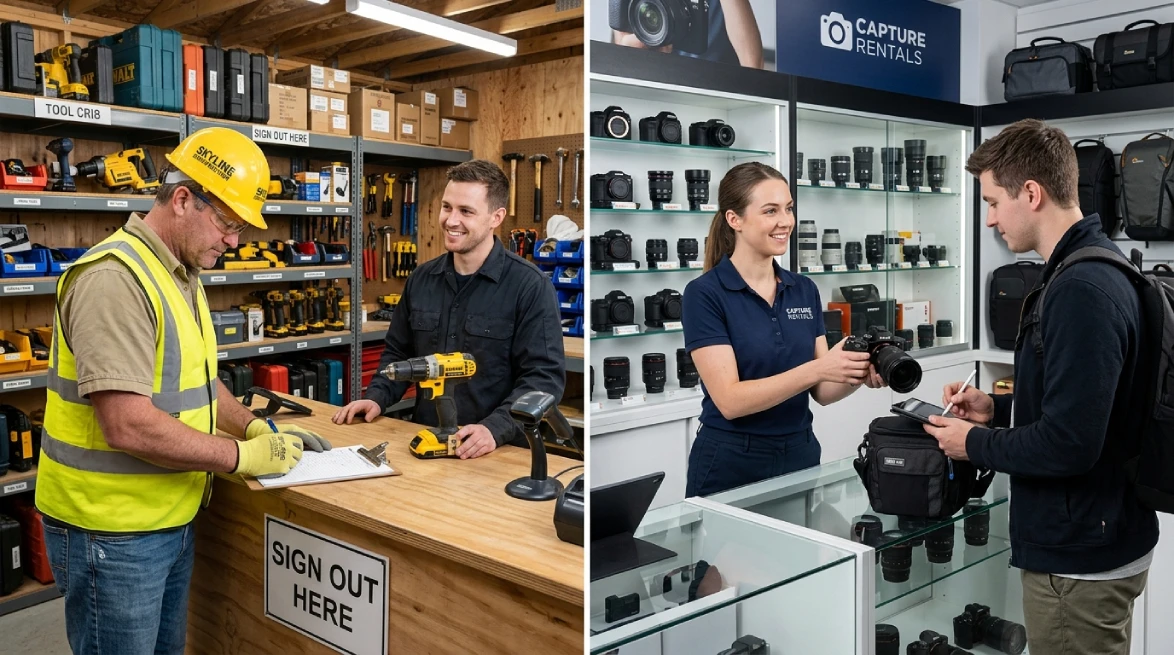
Here are some sign-out sheet examples for different rental and equipment needs. Use them as a starting point to keep your tracking clear, accurate, and organized.
Construction Equipment Sign-Out Sheet
Keep track of site tools, heavy machinery conditions, and supervisor approvals effortlessly with this practical equipment sign-out log.
| Line No. | Asset ID | Manufacturer | Equipment Description | Category | Issued From | Employee Name | Job Title | Sign-Out Date & Time | Expected Return Date & Time | Condition Out | Notes / Accessories | Supervisor Approval |
|---|---|---|---|---|---|---|---|---|---|---|---|---|
| 1 | EQ-PT-0142 | DeWalt | 20V MAX Cordless Drill/Driver | Power tool | WH-03 | Michael Smith | Foreman | 2026-07-28 07:10 | 2026-07-28 17:05 | Good | Battery charged; no damage noted | A. Reynolds |
| 2 | EQ-LD-0027 | Werner | 10 ft Fiberglass Step Ladder | Ladder | Yard A | Jennifer Johnson | Safety Officer | 2026-07-28 07:20 | 2026-07-28 16:40 | Good | Feet secure; label legible | A. Reynolds |
| 3 | EQ-HM-0008 | CAT | 301.7 CR Mini Excavator | Heavy machinery | North Lot | David Brown | Operator | 2026-07-28 08:00 | 2026-07-28 18:00 | Good | Daily inspection completed; fluids normal | M. Carter |
| 4 | EQ-SE-0061 | 3M | Full Body Harness with Lanyard | Safety equipment | WH-01 | Sarah Williams | Rigger | 2026-07-28 07:05 | 2026-07-28 17:15 | Good | All buckles functional; no fraying | A. Reynolds |
| 5 | EQ-PW-0196 | Milwaukee | 7-1/4 in Circular Saw | Power tool | WH-03 | Robert Jones | Carpenter | 2026-07-28 07:30 | 2026-07-28 16:55 | Fair | Blade guard operating; blade shows normal wear | A. Reynolds |
| 6 | EQ-HT-0113 | Stihl | MS 271 Chainsaw | Power tool | West Storage | Mary Garcia | Laborer | 2026-07-28 08:15 | 2026-07-28 15:50 | Good | Chain tension checked; fuel cap secure | M. Carter |
Camera Rental Equipment Sign-Out Sheet
Ensure high-value lenses, camera bodies, and gear accessories are fully accounted for before and after shoots using this clean equipment tracking sheet.
| Rental No. | Customer Name | Phone | Checkout Date & Time | Due Back Date & Time | Return Date & Time | Equipment Description | Asset / Serial No. | Qty | Condition Out | Condition In | Accessories Included | Rental Staff | Customer Acknowledgment | |
|---|---|---|---|---|---|---|---|---|---|---|---|---|---|---|
| CR-2026-071 | Michael Smith | +1 (416) 555-0184 | [email protected] | 2026-07-26 09:15 | 2026-07-28 17:00 | 2026-07-28 16:20 | Canon EOS R6 Mark II body | CAN-R6II-44821 | 1 | Good | Good | Body cap, strap, battery, charger | L. Chen | Michael Smith |
| CR-2026-072 | Jennifer Johnson | +1 (647) 555-0139 | [email protected] | 2026-07-26 10:00 | 2026-07-29 12:00 | 2026-07-29 11:35 | Sony FE 24-70mm f/2.8 GM II lens | SN-2470GM2-9017 | 1 | Good | Good | Front and rear caps, lens hood | L. Chen | Jennifer Johnson |
| CR-2026-073 | David Brown | +1 (905) 555-0162 | [email protected] | 2026-07-27 14:30 | 2026-07-28 14:30 | 2026-07-28 14:10 | Manfrotto Befree tripod | MT-BF-1108 | 1 | Good | Good | Quick-release plate, carrying bag | R. Patel | David Brown |
| CR-2026-074 | Sarah Williams | +1 (416) 555-0198 | [email protected] | 2026-07-27 15:05 | 2026-07-28 18:00 | 2026-07-28 17:40 | Canon LP-E6NH battery pack | BAT-LE6-7741 | 2 | Good | Good | Two batteries, dual charger | R. Patel | Sarah Williams |
| CR-2026-075 | Robert Jones | +1 (437) 555-0116 | [email protected] | 2026-07-28 08:20 | 2026-07-29 10:00 | 2026-07-29 09:45 | SanDisk Extreme Pro memory card 128GB | SD-128-6630 | 3 | Good | Good | Card cases | L. Chen | Robert Jones |
| CR-2026-076 | Mary Garcia | +1 (289) 555-0177 | [email protected] | 2026-07-28 11:00 | 2026-07-28 19:00 | 2026-07-28 18:35 | Godox flash kit with softbox | GD-FL-2104 | 1 | Good | Good | Flash head, trigger, diffuser, power cable | L. Chen | Mary Garcia |
Party Rental Equipment Sign-Out Sheet
Keep track of all event items, quantities, and return statuses smoothly with this straightforward party rental equipment sign-out log.
| Order No. | Customer Name | Event Date | Checkout Date | Return Date | Delivery Location | Item Description | Qty | Condition Out | Condition In | Notes | Prepared By | Customer Signature |
|---|---|---|---|---|---|---|---|---|---|---|---|---|
| PR-2026-184 | James Miller | 2026-07-30 | 2026-07-29 | 2026-07-31 | Oakridge Community Center | Banquet tables, 6 ft | 12 | Good | Good | Table covers included | S. Tim | James Miller |
| PR-2026-184 | James Miller | 2026-07-30 | 2026-07-29 | 2026-07-31 | Oakridge Community Center | Folding chairs | 96 | Good | Good | Stack straps included | S. Tim | James Miller |
| PR-2026-184 | James Miller | 2026-07-30 | 2026-07-29 | 2026-07-31 | Oakridge Community Center | White linen tablecloths | 12 | Good | Good | Pressed and packaged | S. Tim | James Miller |
| PR-2026-185 | Patricia Wilson | 2026-08-02 | 2026-08-01 | 2026-08-03 | Grandview Rooftop Venue | Pop-up party tent, 20x30 ft | 1 | Good | Good | Stakes & sidewalls included | N. Carter | Patricia Wilson |
| PR-2026-185 | Patricia Wilson | 2026-08-02 | 2026-08-01 | 2026-08-03 | Grandview Rooftop Venue | String lights | 4 | Good | Good | Bulbs tested prior to issue | N. Carter | Patricia Wilson |
| PR-2026-185 | Patricia Wilson | 2026-08-02 | 2026-08-01 | 2026-08-03 | Grandview Rooftop Venue | Decorative centerpieces | 10 | Good | Good | Mirrors & candles packed separately | N. Carter | Patricia Wilson |
Event Rental Equipment Sign-Out Sheet
Easily manage audiovisual setups, stage lighting, and venue gear checkouts for smooth production and event delivery.
| Event No. | Event Name | Customer Name | Event Date | Checkout Date & Time | Return Date & Time | Venue | Equipment Description | Qty | Condition Out | Condition In | Event Notes | AV Technician | Customer Signature |
|---|---|---|---|---|---|---|---|---|---|---|---|---|---|
| EV-2026-041 | Corporate Awards Night | Linda Martinez | 2026-07-31 | 2026-07-31 10:00 | 2026-07-31 23:30 | Grand Hyatt Chicago | JBL powered speakers | 2 | Good | Good | Speaker stands included | T. Reed | Linda Martinez |
| EV-2026-041 | Corporate Awards Night | Linda Martinez | 2026-07-31 | 2026-07-31 10:00 | 2026-07-31 23:30 | Grand Hyatt Chicago | Wireless microphones | 4 | Good | Good | Two handheld, two lapel mics | T. Reed | Linda Martinez |
| EV-2026-041 | Corporate Awards Night | Linda Martinez | 2026-07-31 | 2026-07-31 10:00 | 2026-07-31 23:30 | Grand Hyatt Chicago | LED stage lighting kit | 6 | Good | Good | DMX controller included | T. Reed | Linda Martinez |
| EV-2026-042 | Education Seminar | Christopher Anderson | 2026-08-01 | 2026-08-01 08:30 | 2026-08-01 18:15 | Lincoln Convention Center | Projector, 5000 lumens | 1 | Good | Good | HDMI cable and remote included | M. Harris | Christopher Anderson |
| EV-2026-042 | Education Seminar | Christopher Anderson | 2026-08-01 | 2026-08-01 08:30 | 2026-08-01 18:15 | Lincoln Convention Center | Portable podium | 1 | Good | Good | No visible wear | M. Harris | Christopher Anderson |
| EV-2026-042 | Education Seminar | Christopher Anderson | 2026-08-01 | 2026-08-01 08:30 | 2026-08-01 18:15 | Lincoln Convention Center | AV mixer and cables | 1 | Good | Good | Assorted XLR and power leads | M. Harris | Christopher Anderson |
Trailer Rental Equipment Sign-Out Sheet
Document vehicle conditions, mileage, fuel, and safety checks seamlessly prior to handoff with this trailer rental inspection log.
| Rental No. | Customer Name | Phone | Trailer ID | VIN | Checkout Date | Return Date | Odometer / Mileage | Fuel Level | Hitch Inspection | Tire Condition | Condition Out | Return Inspection | Staff Initials | Customer Signature |
|---|---|---|---|---|---|---|---|---|---|---|---|---|---|---|
| TR-2026-058 | William Harris | (555) 214-5501 | TRL-14A | 1FTFW1ET4MFA21458 | 2026-07-27 | 2026-07-28 | 184,320 | 3/4 | Passed | Good, 60 psi | Good | Passed, no damage | J. Allen | William Harris |
| TR-2026-059 | Elizabeth Davis | (555) 819-5511 | TRL-22C | 5TFDY5F19MX214763 | 2026-07-27 | 2026-07-29 | 92,640 | 1/2 | Passed | Good, no sidewall wear | Good | Passed, clean return | J. Allen | Elizabeth Davis |
| TR-2026-060 | Thomas Moore | (555) 677-5590 | TRL-09B | 4UZABRDT6HCH21491 | 2026-07-28 | 2026-07-30 | 211,075 | 7/8 | Passed | Good, spare tire present | Good | Passed, lights functional | S. Hayes | Thomas Moore |
| TR-2026-061 | Susan Taylor | (555) 911-5544 | TRL-18F | 3C7WRNEL2LG214602 | 2026-07-28 | 2026-07-29 | 68,950 | 5/8 | Passed | Good, tread even | Good | Passed, minor dust only | S. Hayes | Susan Taylor |
School Equipment Sign-Out Sheet
Easily manage laptops, lab kits, and sports gear loaned to students and faculty with this organized school checkout sheet.
| Checkout No. | Name | Role | Department / Class | Item Description | Asset ID | Qty | Checkout Date | Due Date | Return Date | Condition Out | Condition In | Approval Signature | User Signature |
|---|---|---|---|---|---|---|---|---|---|---|---|---|---|
| SC-2026-109 | Richard Thomas | Teacher | Science Department | Lenovo ThinkPad laptop | SCH-LT-2044 | 1 | 2026-07-28 | 2026-07-31 | 2026-07-31 | Good | Good | M. Adams | Richard Thomas |
| SC-2026-109 | Richard Thomas | Teacher | Science Department | Digital camera | SCH-CAM-1187 | 1 | 2026-07-28 | 2026-07-31 | 2026-07-31 | Good | Good | M. Adams | Richard Thomas |
| SC-2026-110 | Barbara White | Student | Grade 10, Lab Group B | Tablet | SCH-TAB-3321 | 2 | 2026-07-27 | 2026-07-29 | 2026-07-29 | Good | Good | S. Hayes | Barbara White |
| SC-2026-111 | Joseph Jackson | Student | Grade 12, Physics Club | Lab equipment kit | SCH-LAB-0905 | 1 | 2026-07-26 | 2026-07-30 | 2026-07-30 | Good | Good | S. Hayes | Joseph Jackson |
| SC-2026-112 | Charles Martin | Coach | Sports Department | Volleyball set | SCH-SPR-7712 | 1 | 2026-07-25 | 2026-07-28 | 2026-07-28 | Fair | Good | R. Carter | Charles Martin |
| SC-2026-112 | Charles Martin | Coach | Sports Department | Portable projector | SCH-PRJ-5510 | 1 | 2026-07-25 | 2026-07-28 | 2026-07-28 | Good | Good | R. Carter | Charles Martin |
Office IT Equipment Sign-Out Sheet
Maintain full control of your company's laptops, monitors, and accessories with this simple IT hardware checkout log.
| Request No. | Employee Name | Employee ID | Department | Equipment Description | Asset Tag | Qty | Checkout Date | Return Date | Condition Out | Condition In | IT Approval | Employee Signature |
|---|---|---|---|---|---|---|---|---|---|---|---|---|
| IT-2026-228 | David Wilson | EMP-1042 | Marketing | Dell Latitude laptop | IT-LT-8821 | 1 | 2026-07-28 | 2026-08-01 | Good | Good | T. Hayes | David Wilson |
| IT-2026-228 | David Wilson | EMP-1042 | Marketing | Docking station | IT-DK-3314 | 1 | 2026-07-28 | 2026-08-01 | Good | Good | T. Hayes | David Wilson |
| IT-2026-229 | Maria Rodriguez | EMP-1098 | Finance | 24-inch monitor | IT-MN-2207 | 2 | 2026-07-27 | 2026-07-31 | Good | Good | M. Carter | Maria Rodriguez |
| IT-2026-229 | Maria Rodriguez | EMP-1098 | Finance | Wireless keyboard and mouse | IT-KM-1193 | 1 | 2026-07-27 | 2026-07-31 | Good | Good | M. Carter | Maria Rodriguez |
| IT-2026-230 | John Lee | EMP-1127 | Operations | Mobile phone | IT-PH-5408 | 1 | 2026-07-26 | 2026-07-30 | Good | Good | T. Hayes | John Lee |
| IT-2026-230 | John Lee | EMP-1127 | Operations | USB-C charger | IT-CH-6642 | 1 | 2026-07-26 | 2026-07-30 | Good | Good | T. Hayes | John Lee |
Disclaimer: These samples are for general information only and are not legal or professional advice. Always customize forms to match your local rules, insurance needs, and company policies before use.
How to Create an Equipment Sign-Out Sheet (Step-by-Step)

Creating your equipment sign-out sheet step by step makes the whole process much easier. You'll build accurate records, boost accountability, and manage your inventory more effectively. Here's exactly how to do it.
Step 1: List Every Asset
Start by listing every piece of equipment you want to track. Include each item's name, category, make, model, serial number, and storage location. For large inventories, prioritize high-value, safety-critical, or frequently shared equipment first.
Next, group your assets into logical categories like IT equipment, power tools, vehicles, cameras, or lab gear. Clear categories make your records easier to search and reduce confusion between similar items.
Consistent naming conventions make reporting and maintenance easier. They also take the stress out of inventory audits. Putting a clear process in place today pays off over time.
Don't overlook equipment that gets shared often. Frequently borrowed items are more prone to misplacement. Tracking them carefully from the start helps prevent gaps in your records and keeps your team accountable.
Once your full asset list is ready, you'll have a solid foundation to build on. Every step that follows becomes easier when your inventory is well-organized from the beginning.
Step 2: Assign Unique Asset IDs
Give every piece of equipment a unique ID that stays with it for life. Use asset IDs, barcodes, QR codes, or serial numbers. This speeds up checkouts and reduces errors.
Pick a simple, consistent naming format that's easy to read and search. Clarity matters more than complexity here. A straightforward system helps your whole team stay on the same page.
Use durable labels for equipment labeling. Regular wear can make identifiers hard to read and cause mix-ups with similar-looking equipment. Labels that hold up under daily use keep your tracking accurate and reliable.
Step 3: Create Checkout Fields
Your sign-out sheet should capture key details: equipment info, borrower name, checkout date, expected return date, department, and any accessories included. These fields keep your records clear and easy to reference anytime.
Want to level things up? Add fields for approvals, project names, equipment condition, and notes. Better records mean fewer disputes and more accountability across your team.
Using spreadsheets or digital forms? Small tweaks can help. Add dropdown menus, date validation, and required fields to cut down on errors and keep your records consistent.
Step 4: Record Equipment Condition
Before equipment leaves storage, note its condition, any wear, damage, or missing accessories. This simple step protects both you and the borrower by creating a clear baseline record before checkout.
When the equipment comes back, inspect it using the same criteria. Compare it against your original notes to see what changed during use.
For valuable equipment, photos are a great addition! Attach them to the sign-out sheet for extra documentation. This makes it easier to resolve disputes and plan future maintenance.
Step 5: Collect Signatures
Signatures confirm the handover is official. The borrower should acknowledge receipt, and the person issuing the equipment should sign off to verify all information is accurate.
For pricier or specialized equipment, require manager approval before release. This adds accountability and protects your organization from disputes.
Digital signatures make this step even easier! They create searchable electronic records and eliminate the hassle of managing stacks of paper forms. It's a simple upgrade that saves time.
Step 6: Track Equipment Returns
When equipment comes back, log the return date right away. Check that the correct item and all accessories are accounted for. This keeps your inventory accurate and ensures everything is ready for the next borrower.
Notice anything missing or damaged? Document it immediately. Following up on overdue returns keeps your team accountable and ensures nothing goes unreported or unnoticed.
Step 7: Archive Completed Equipment Sign-Out Sheets
Once a transaction wraps up, file the completed sheet right away. A tidy filing system prevents bigger problems later, especially during audits, insurance claims, or maintenance reviews.
Digital storage makes things even easier. You can search records quickly, back them up effortlessly, and stay organized long-term. It beats managing stacks of paper every time.
Whichever method you choose, staying consistent matters.
Archived sign-out sheets build a reliable equipment history. That history supports smarter inventory decisions and keeps your rental operation running smoothly over time.
Excel vs. Word vs. PDF vs. Rental Software
Choosing the right tracking method depends on your business size and workflow. Spreadsheets and printable forms work for basic needs, while rental software offers automation and real-time visibility. The table below breaks down the key differences.
| Feature | Excel | Word | Rental Software | |
|---|---|---|---|---|
| Easy to create | Yes | Yes | No | Yes |
| Ready-to-use templates | Yes | Yes | Yes | Yes |
| Printable | Yes | Yes | Yes | Yes |
| Editable after creation | Yes | Yes | No | Yes |
| Automatic calculations | Yes | No | No | Yes |
| Search records instantly | Yes | No | No | Yes |
| Sort and filter records | Yes | No | No | Yes |
| Multi-user collaboration | Limited | Limited | No | Yes |
| Cloud access | Limited | Limited | No | Yes |
| Mobile-friendly | Limited | Limited | View only | Yes |
| Digital signatures | With add-ins | Limited | Limited | Yes |
| Company logo support | Yes | Yes | No | Yes |
| Barcode/QR code support | Manual | Manual | No | Yes |
| Equipment availability tracking | No | No | No | Yes |
| Real-time inventory status | No | No | No | Yes |
| Prevents double bookings | No | No | No | Yes |
| Automated check-in/check-out | No | No | No | Yes |
| Maintenance scheduling | No | No | No | Yes |
| Damage and inspection history | Manual | Manual | Manual | Yes |
| Automatic overdue reminders | No | No | No | Yes |
| Reservation management | No | No | No | Yes |
| Customer and employee history | Manual | Manual | Manual | Yes |
| Audit trail | Limited | No | No | Yes |
| Multi-location inventory | No | No | No | Yes |
| Reporting and analytics | Basic | No | No | Yes |
| Online booking integration | No | No | No | Yes |
Which Equipment Tracking Method Is Best for Your Business?
Every business has unique needs, so the right tracking method depends on your inventory size, team, and whether you need simple recordkeeping or full automation. Let's break down your options.
Excel is great for small inventories. It's familiar, customizable, and easy to set up. But manual entry slows things down as your inventory grows, and errors become harder to catch.
Microsoft Word works well for creating professional forms with branding and signature sections. However, It lacks built-in calculations and filtering tools, which can slow equipment tracking over time.
PDF templates keep formatting consistent across devices and work well in paper-based environments. However, they lack automation, real-time updates, and searchable records for long-term tracking.
As your equipment inventory grows, dedicated management software becomes a more practical solution. It automates tasks, reduces errors, and improves visibility.
Platforms like RentMy bring tracking, reservations, maintenance, barcode scanning, and reporting together in one place. So, your team always stays organized and ready to grow.
Keep Your Best Equipment Ready for Every Booking
Track availability in real time so your customers never miss out because of scheduling mistakes.
- 14-day free trial
- No credit card required
When to Upgrade from a Spreadsheet
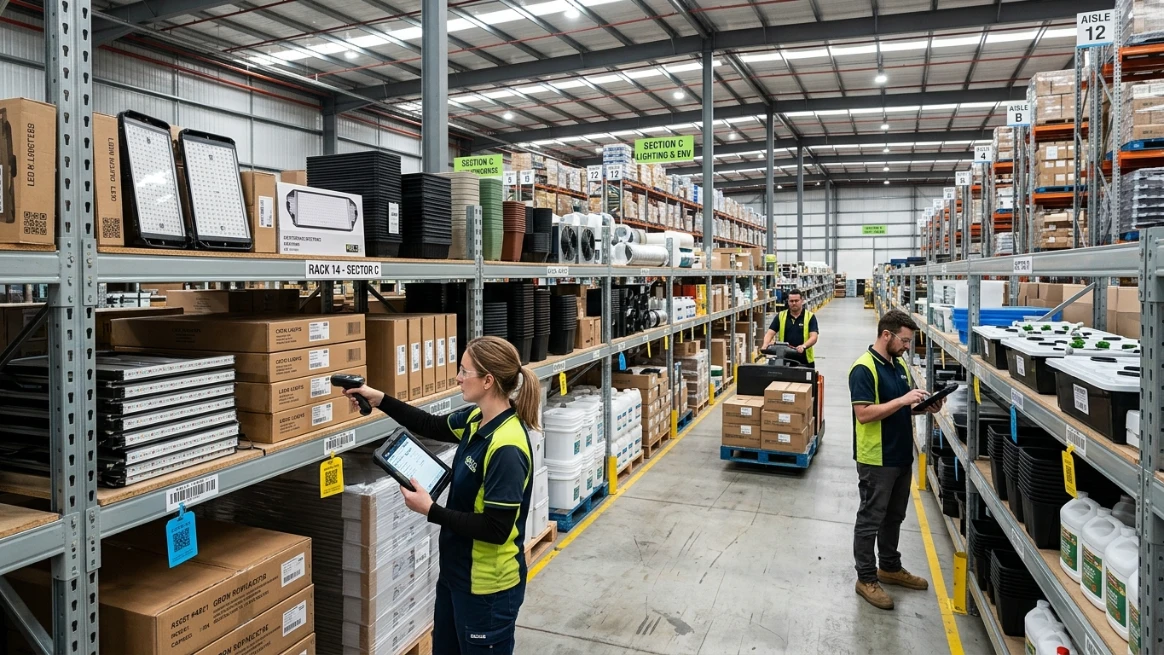
Spreadsheets are a good starting point, but they don't scale well. As your inventory grows, manual tracking creates errors and slows your team down. Let's discuss how to know when it's time to switch.
Spreadsheets get messy as your inventory grows. Searching for records, fixing errors, and staying accurate becomes a constant battle. Dedicated software keeps everything organized, searchable, and always up to date.
Multiple users editing the same file creates confusion. Duplicate entries and conflicting versions make it hard to trust your data. Cloud-based software gives everyone access to one reliable, real-time source.
Without a central system, equipment gets lost and you end up buying duplicates. The right software links all your locations, so you always know where everything is.
Reliable software comes equipped with rental features that go beyond simply tracking equipment. It sends maintenance alerts, prevents double bookings, and generates reports automatically. Your team spends less time on admin and more time doing what actually matters.
Conclusion
That's a wrap! This guide covered how an equipment sign-out sheet improves equipment tracking, builds accountability, and helps businesses manage shared assets with confidence.
Small, consistent improvements bring the biggest results. A well-managed tracking process can reduce unnecessary costs, boosts teamwork, and keeps equipment available when needed.
Ready to scale up? RentMy brings equipment tracking, maintenance, scheduling, and reporting together in one simple platform. It grows with your business and makes management easier every step of the way.
Frequently Asked Questions
Can I Create an Equipment Sign-Out Sheet Online?
Yes. You can create an equipment sign-out sheet online using spreadsheet tools, document editors, form builders, or equipment management software. Online forms are easier to customize, share, update, and store digitally, making equipment tracking more accurate and accessible for your team.
Can I Use an Equipment Sign-Out Sheet for Equipment Rentals?
Yes. An equipment sign out sheet works well for equipment rentals because it records who received each item, when it was issued, its condition, and when it should be returned. For customer rentals, pairing it with a rental agreement provides additional legal and payment details.
How Do I Track Equipment Returns Effectively?
Keep a record of when each item should be returned and when it actually comes back. Inspect items when they come back and note any damage. Barcode scanning and automatic reminders can help simplify the process.
How Long Should Equipment Sign-Out Records Be Kept?
There's no universal rule for how long to keep equipment sign-out records. Follow your company's retention policy and any legal or industry requirements. Most businesses keep records for several years.
When Should I Upgrade From Spreadsheets to Equipment Management Software?
Upgrade when spreadsheets can no longer keep up with your business. Common signs include a growing inventory, lost items, double bookings, or too much admin work. Dedicated software automates these tasks and keeps everything visible.